
There are 4 invite options that you can use when sharing the assessment with others.
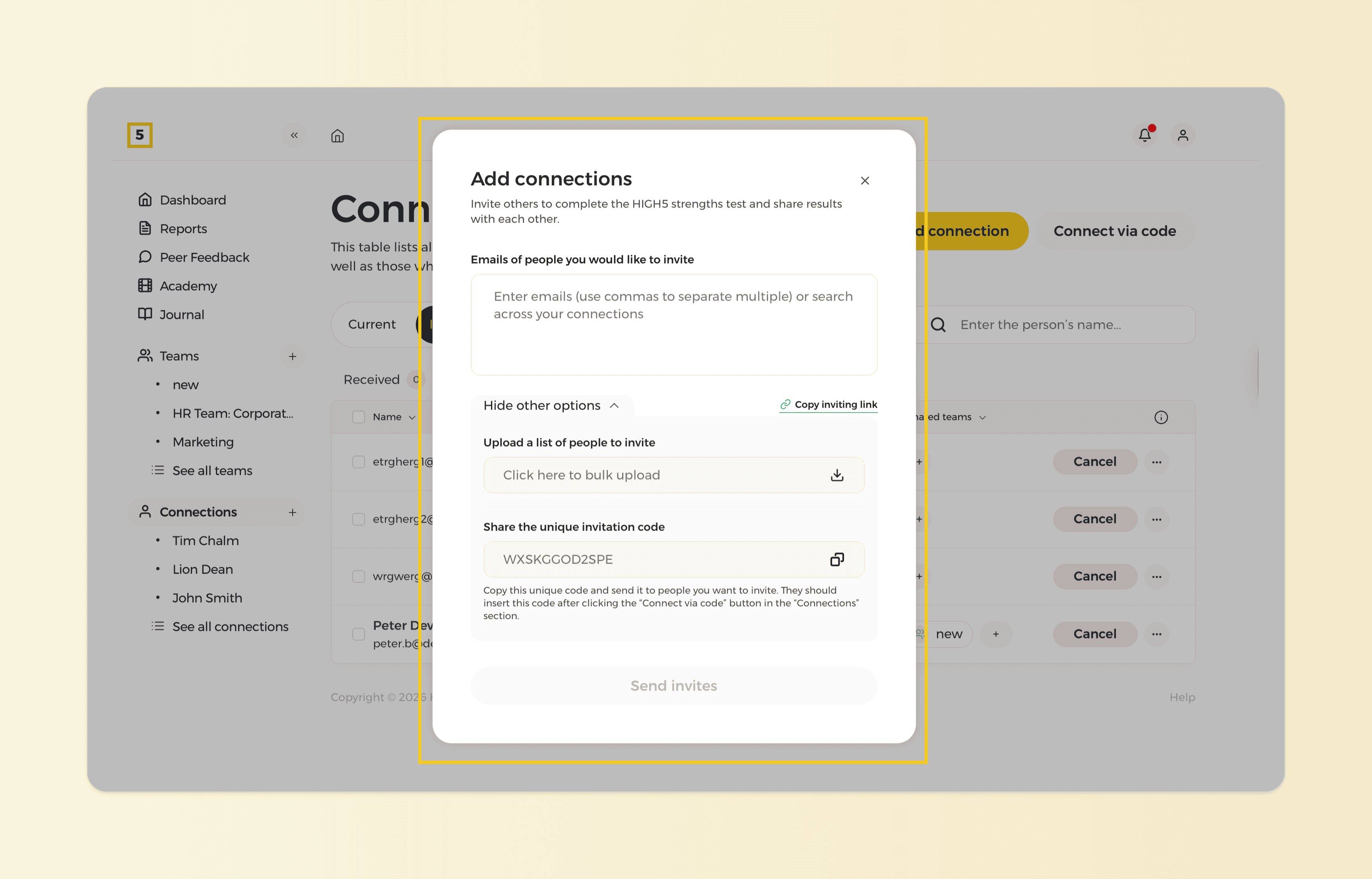
Method 1: Specify emails to send an invitation
This method allows users to specify email addresses to send invitations directly from the HIGH5 platform. Users can enter the email addresses of those they wish to connect with. Once sent, recipients receive an email invitation prompting them to connect with the user on HIGH5 and complete the assessment, if they have not done it before.
Method 2: Share the unique invitation link
This method involves sharing a unique invitation link generated by the HIGH5 platform. This link is personalized to each user and can be easily shared with friends and colleagues via email, messaging apps, or any other communication platform. Recipients can connect with you by clicking on the invitation link, which directs them to sign up or log in to HIGH5 and immediately connects the users.
Method 3: Upload a list of people to invite
This method allows you to invite multiple members at once by using a template. Simply download the provided template, fill in the required member details, and upload the completed file to the system. This saves time by automating the invite process for larger groups.
Method 4: Share the unique invitation code
This method allows users to share a unique invitation code with their friends and colleagues. This code is exclusive to each user and can be shared via email, messaging apps, or any other preferred communication channel. Once recipients receive the code, they can easily connect with one another by entering it on the HIGH5 platform by clicking on the "Connect via code" button on the Connection screen.