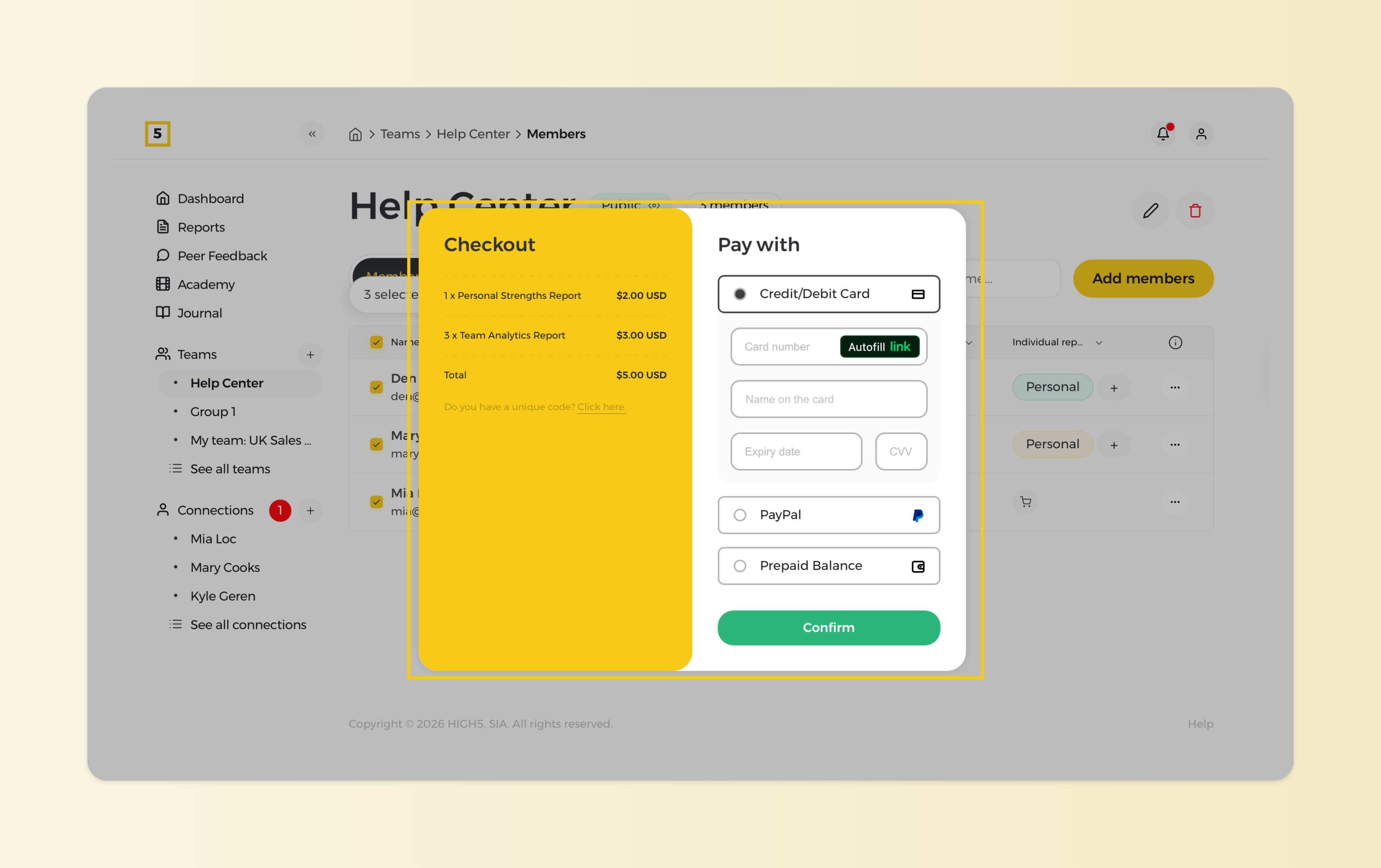
Yes, you can purchase multiple reports simultaneously on the HIGH5 platform. Follow these steps to buy multiple reports in one transaction:
1. Head to the "Members" section of a chosen team
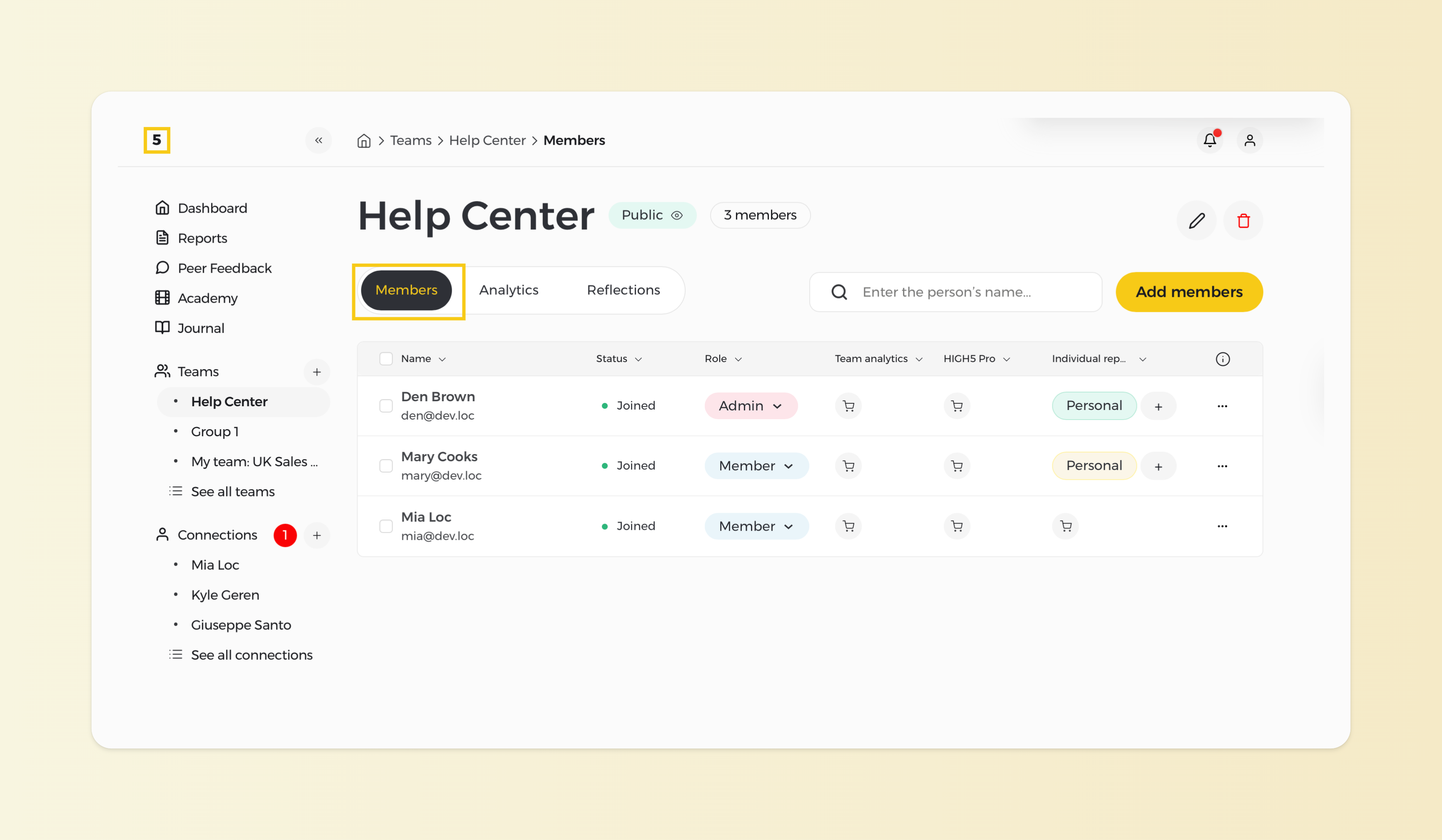
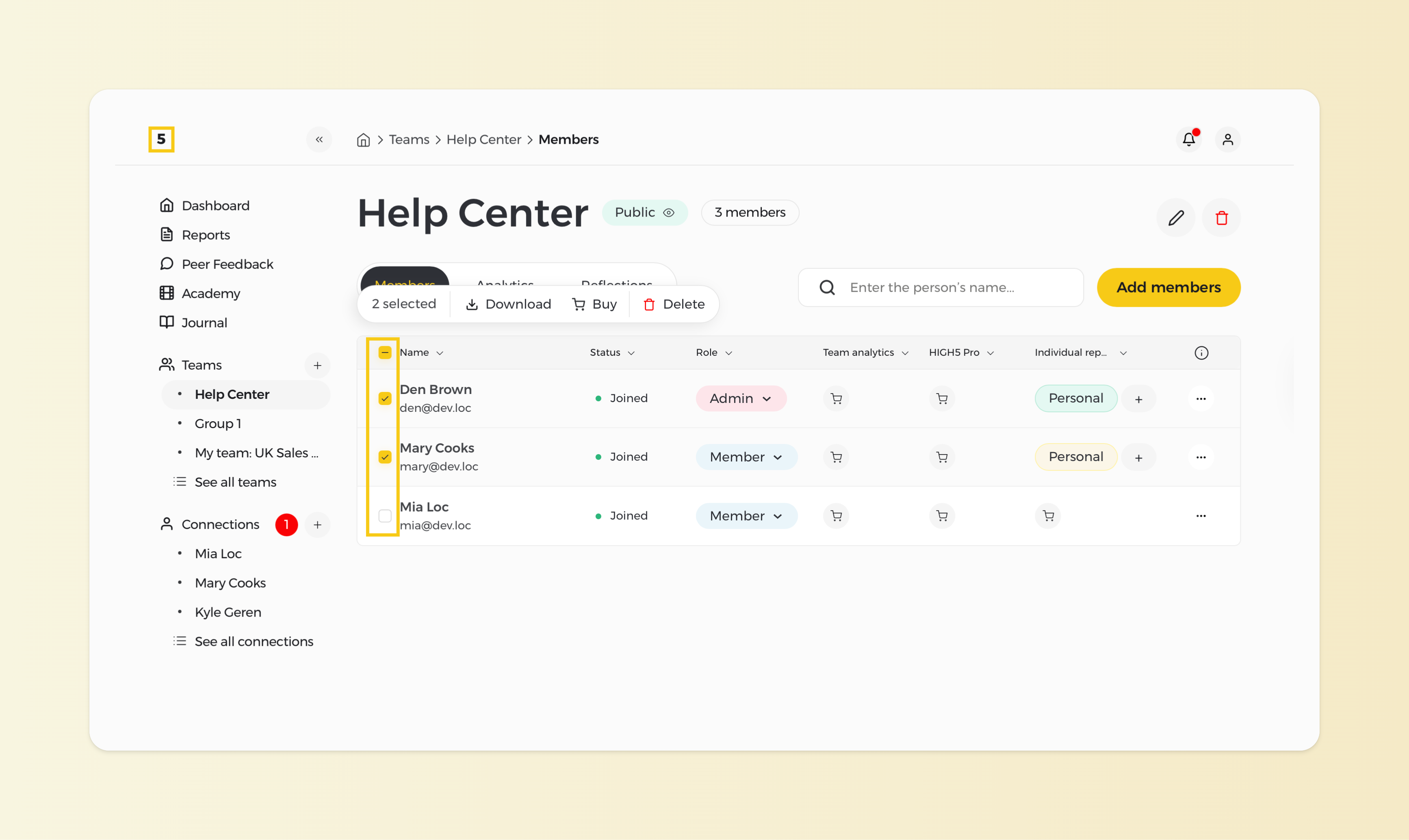
2. Select Multiple People
Select the individuals whose reports you want to purchase. Next to each person's name, you'll find a square box. Tick the boxes next to the names of the people whose reports you wish to buy.
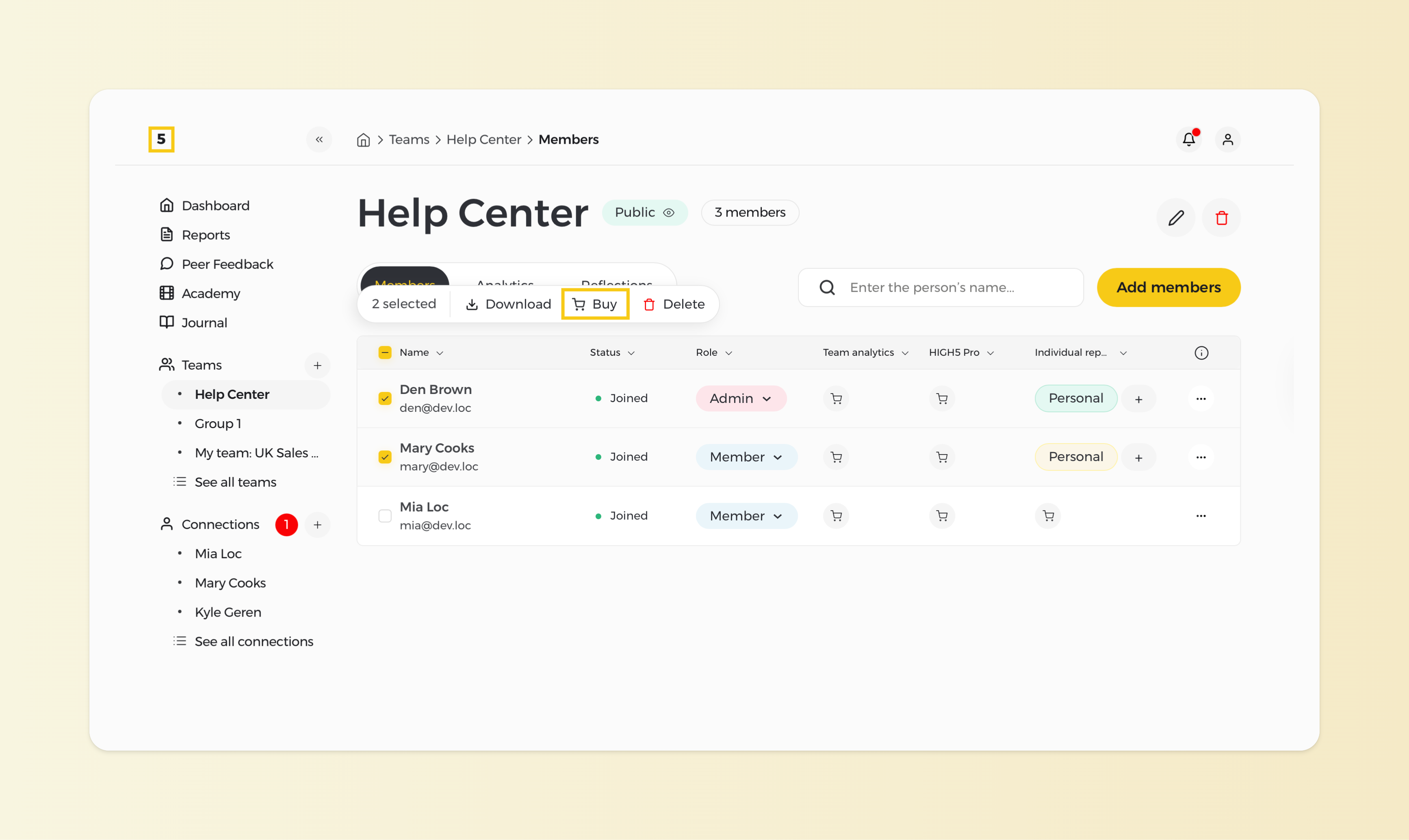
3. Select the report you wish to purchase
By clicking on the "Buy" sign at the top of the member list, proceed with the type of reports you want to purchase for the individuals.
4. Choose the report you wish to purchase
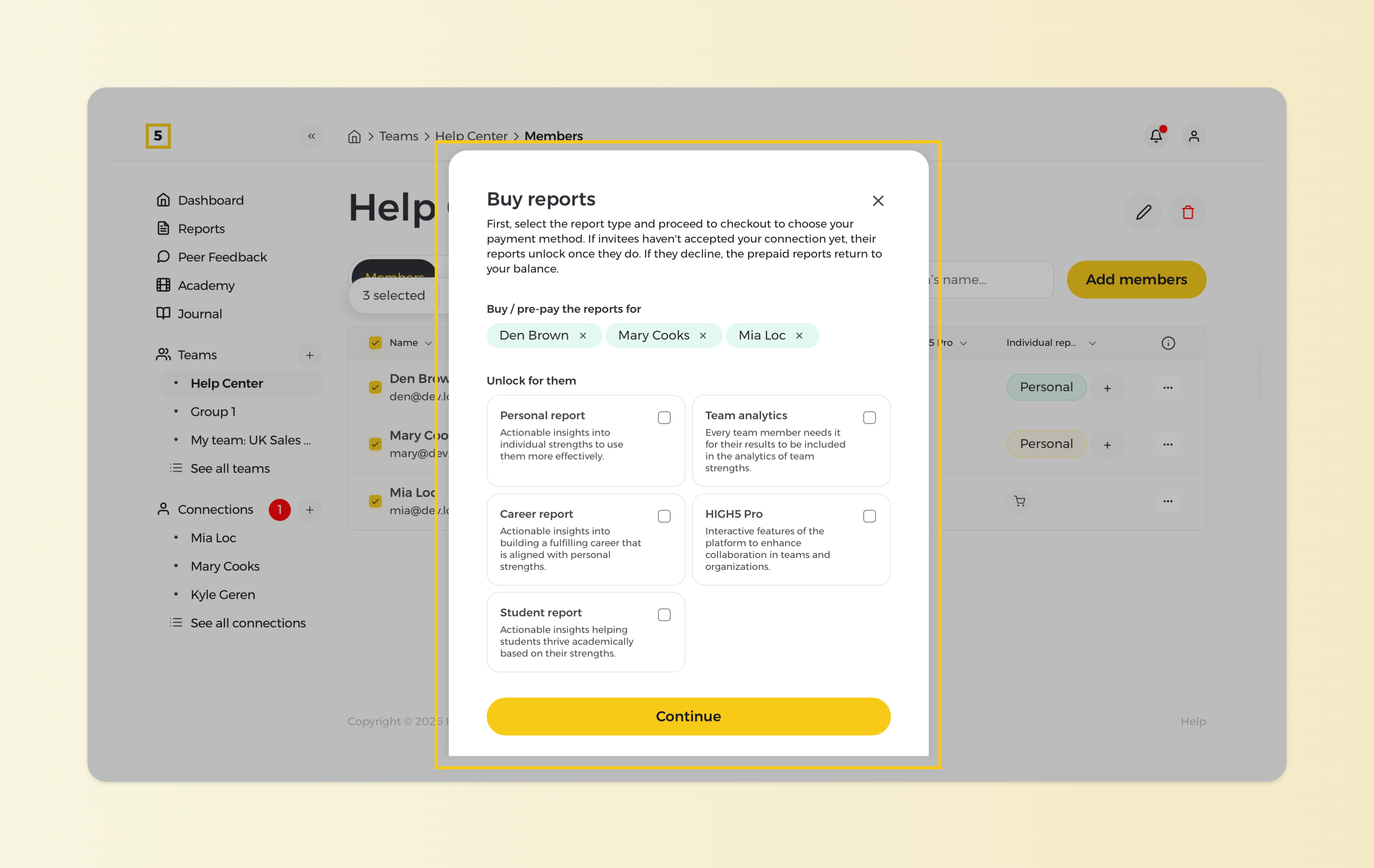
5. Proceed with the payment
Once you've selected all the desired reports, proceed with the checkout. Complete the transaction with the payment method most suitable for you. After the transaction is successfully processed, their reports will be instantly unlocked.