
If you’re working with clients and want access to coaching-specific insights, you can update your account type to Coach directly from your HIGH5 dashboard.
Steps to change your account type:
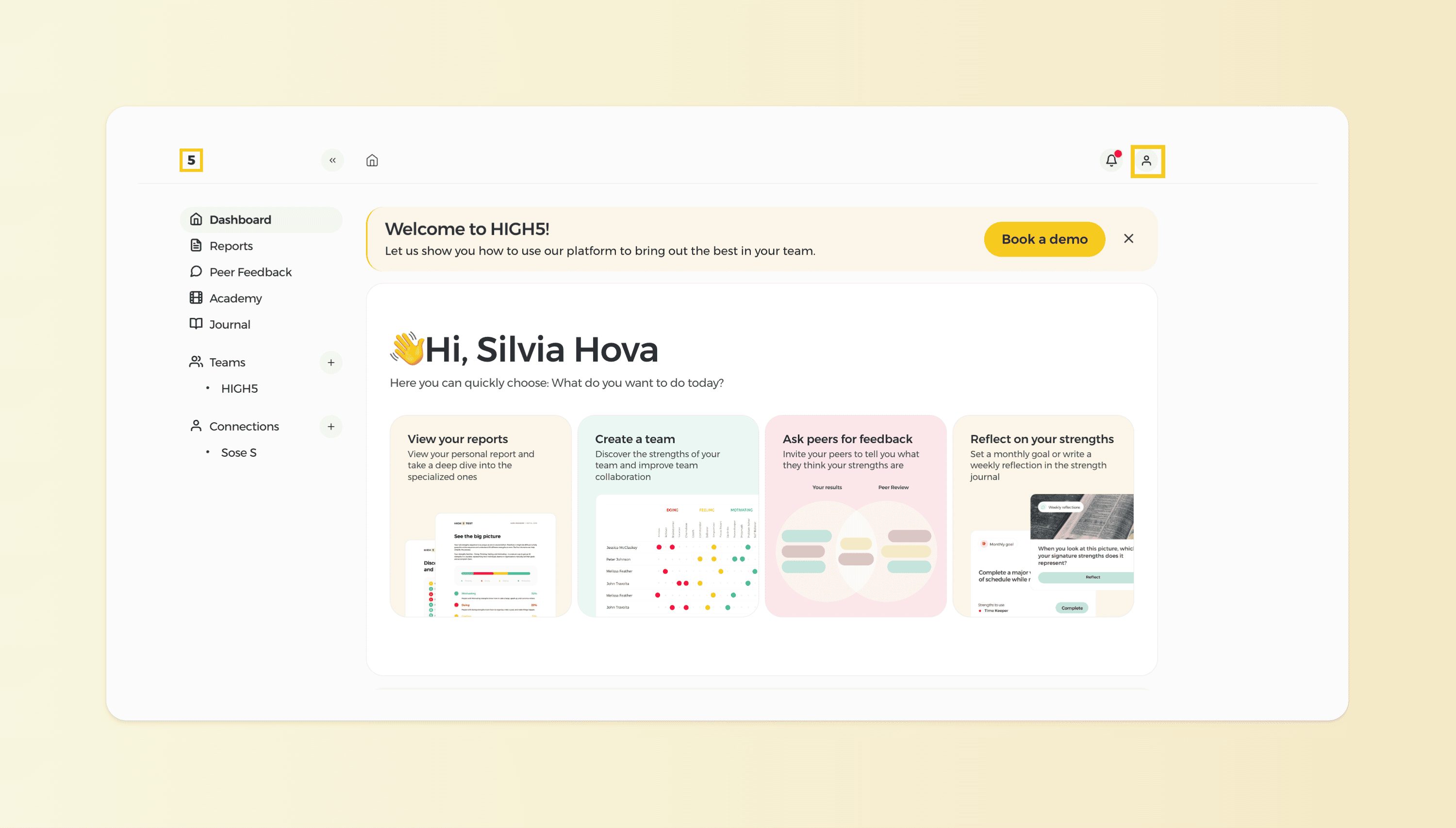
1. From your HIGH5 Dashboard, click on the account icon in the top-right corner.
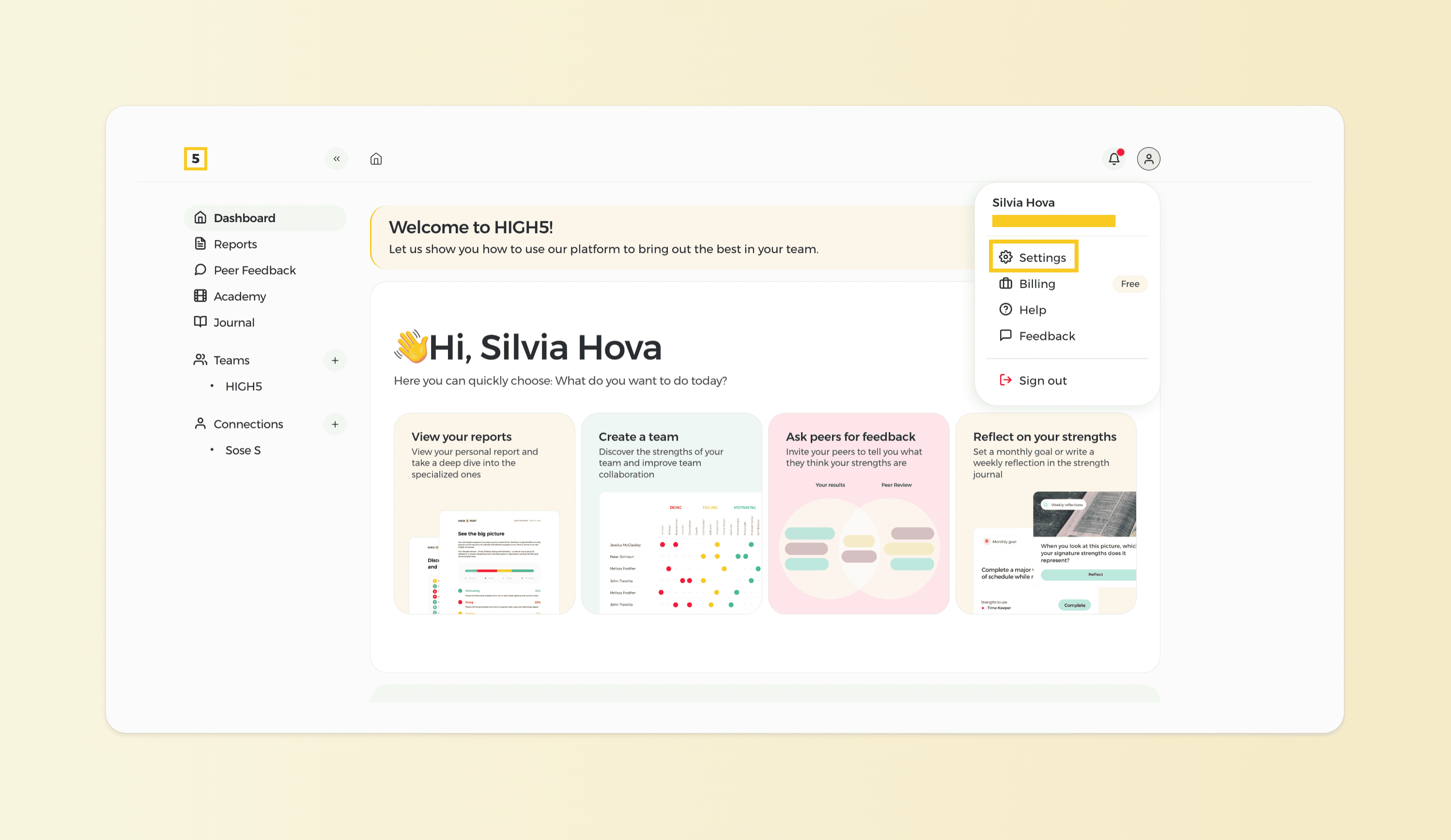
2. Select Settings from the menu.
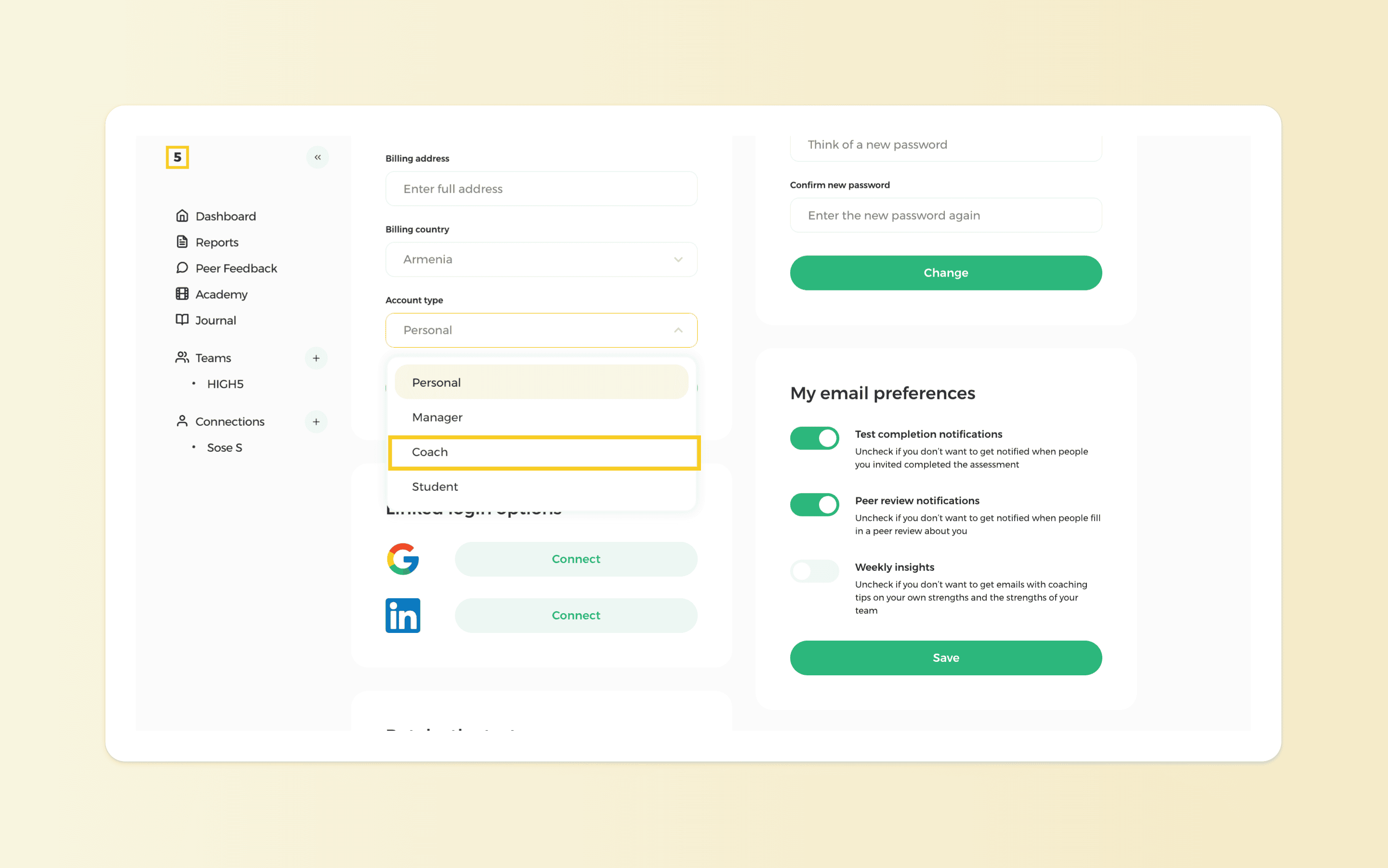
3. Locate the Account Type section.

4. Choose Coach from the dropdown menu.
Once updated, your account will reflect your coaching role and the Dashboard will be designed to support your coaching practice.