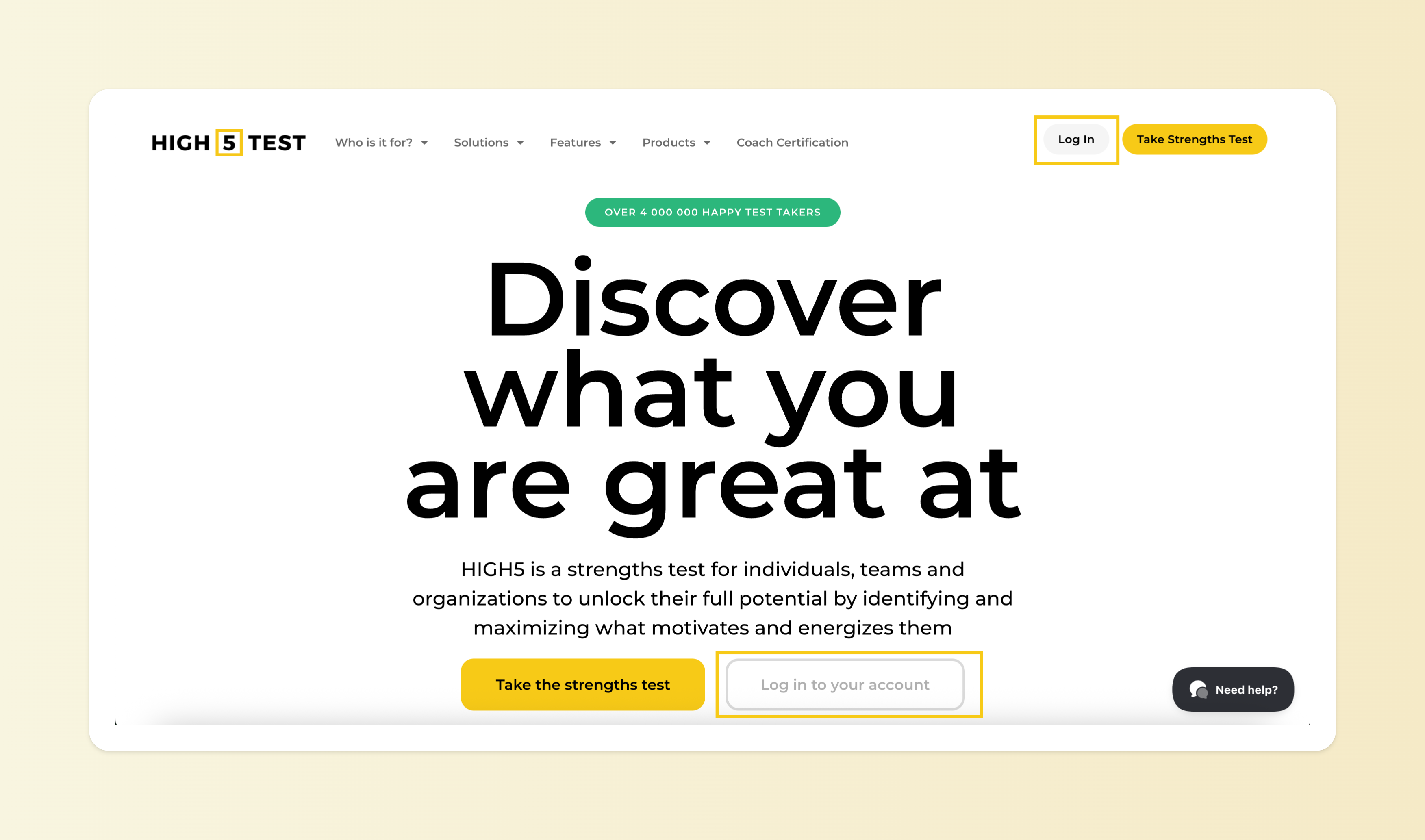
Step 1: Log in to your account
You can access your test results at any time after completing the assessment. You can log into your account here - by using the same credentials you used when taking the test.
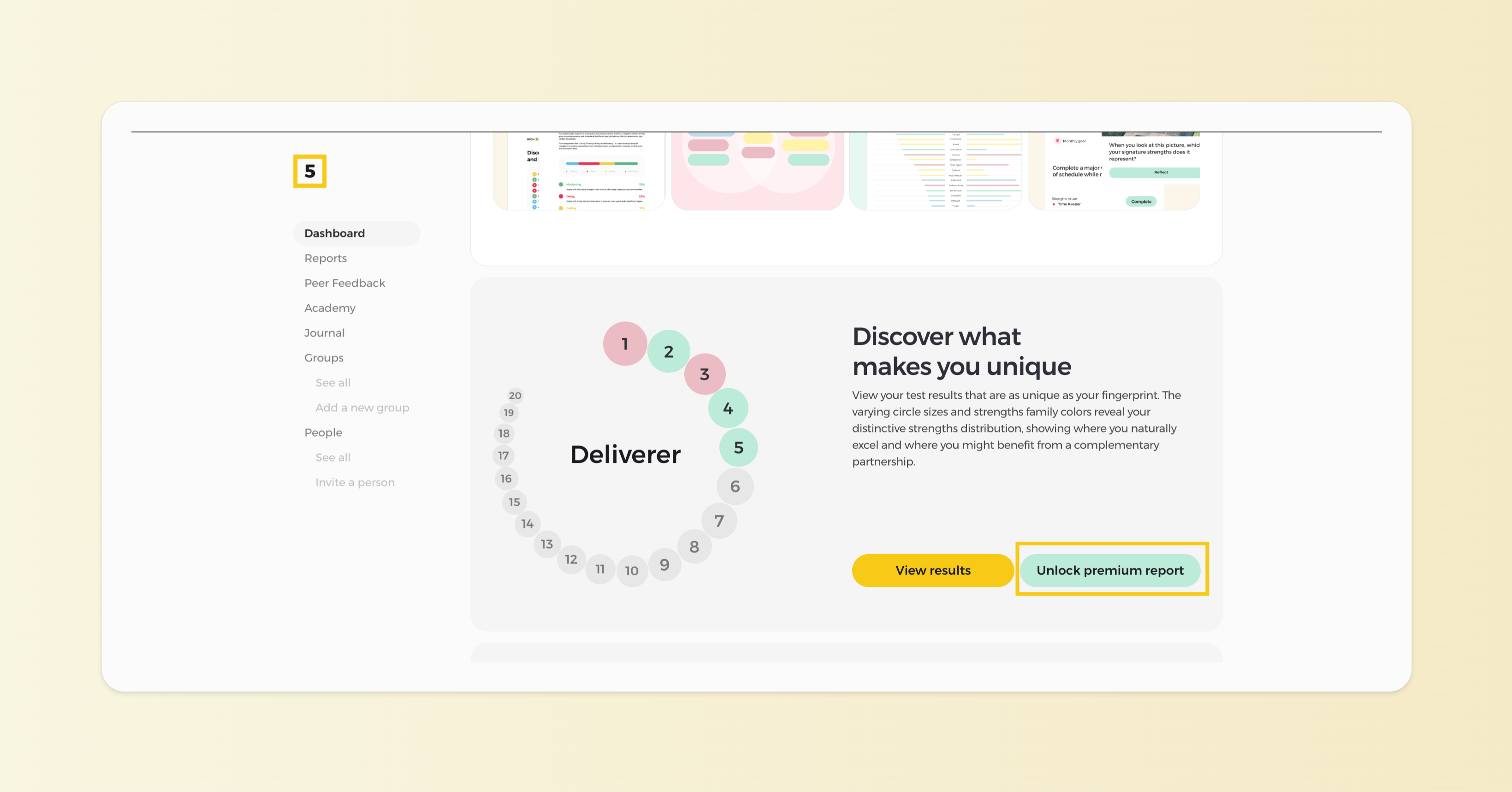
Step 2: Unlock your premium report from your Dashboard
Once logged in, you'll see your Dashboard, where you can find the results of your free assessment. Click on the "Unlock premium report" button to proceed with the payment.
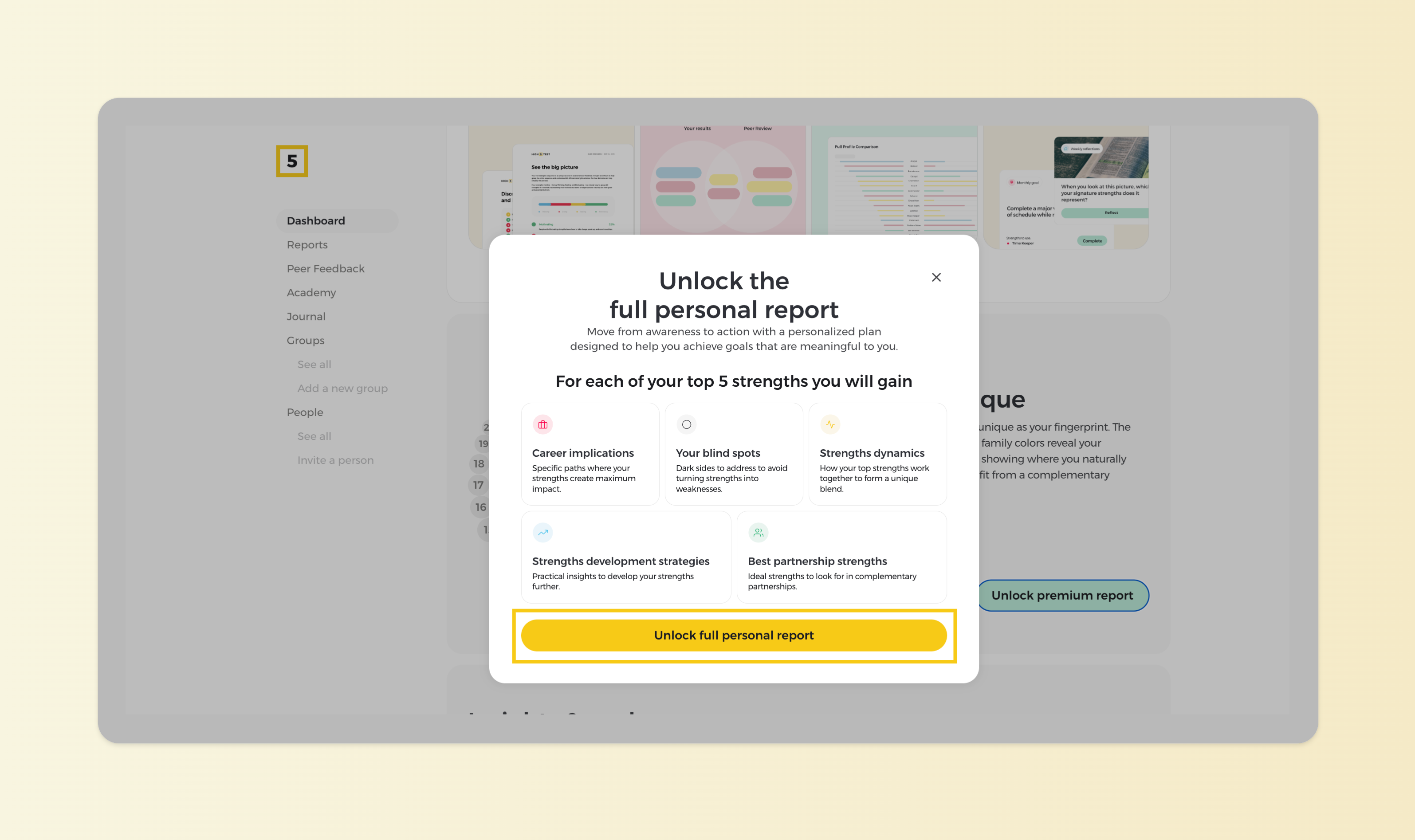
Step 3: Learn what is being unlocked
Familiarize yourself with the insights that the premium report unlocks, and proceed with the "Unlock full personal report" button.
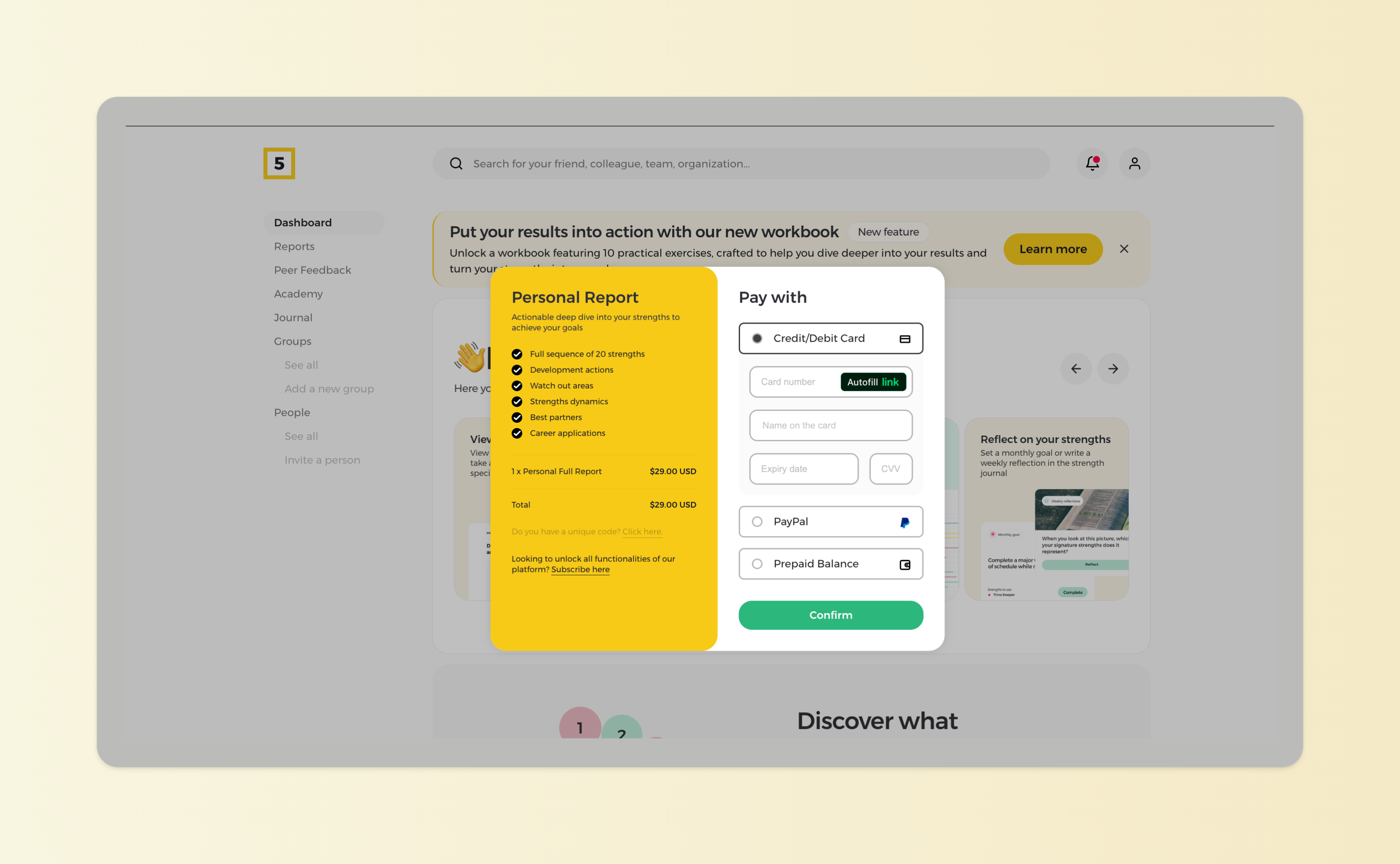
Step 4: Proceed with payment
Once you are informed of what the full report contains, proceed with the checkout. You can use a credit card or PayPal to make the payment. Your report will be unlocked the second the payment is complete.