
To unlock insights into your clients' strengths it's crucial to be connected with them on our platform via an invite. If you're unsure about connecting with clients on HIGH5, click here to learn the steps. Once connected, this article will guide you through the process of promptly accessing their results.
1. Navigate to the "Connections" section of your dashboard
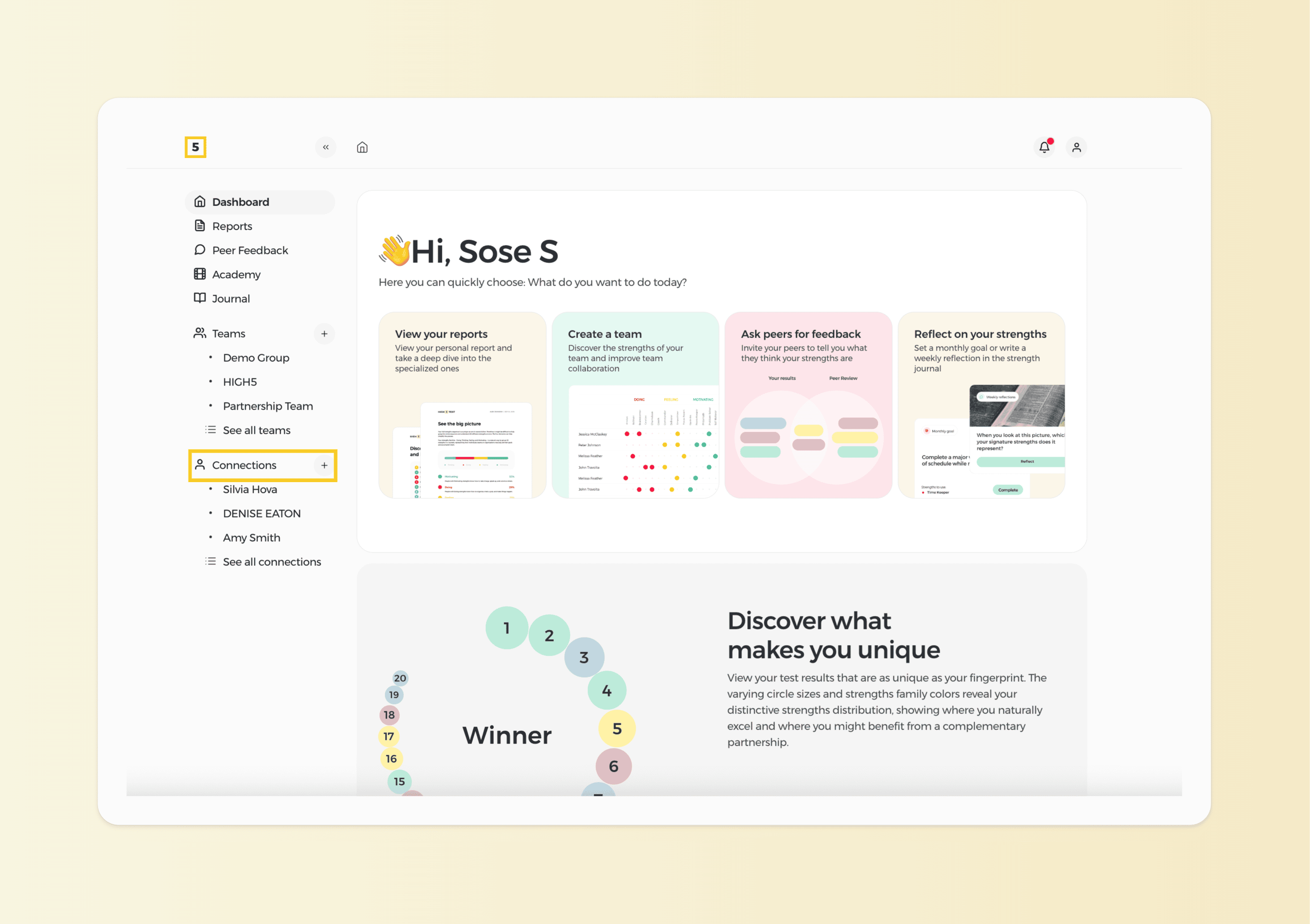
2. Choose the client you need to see the report of
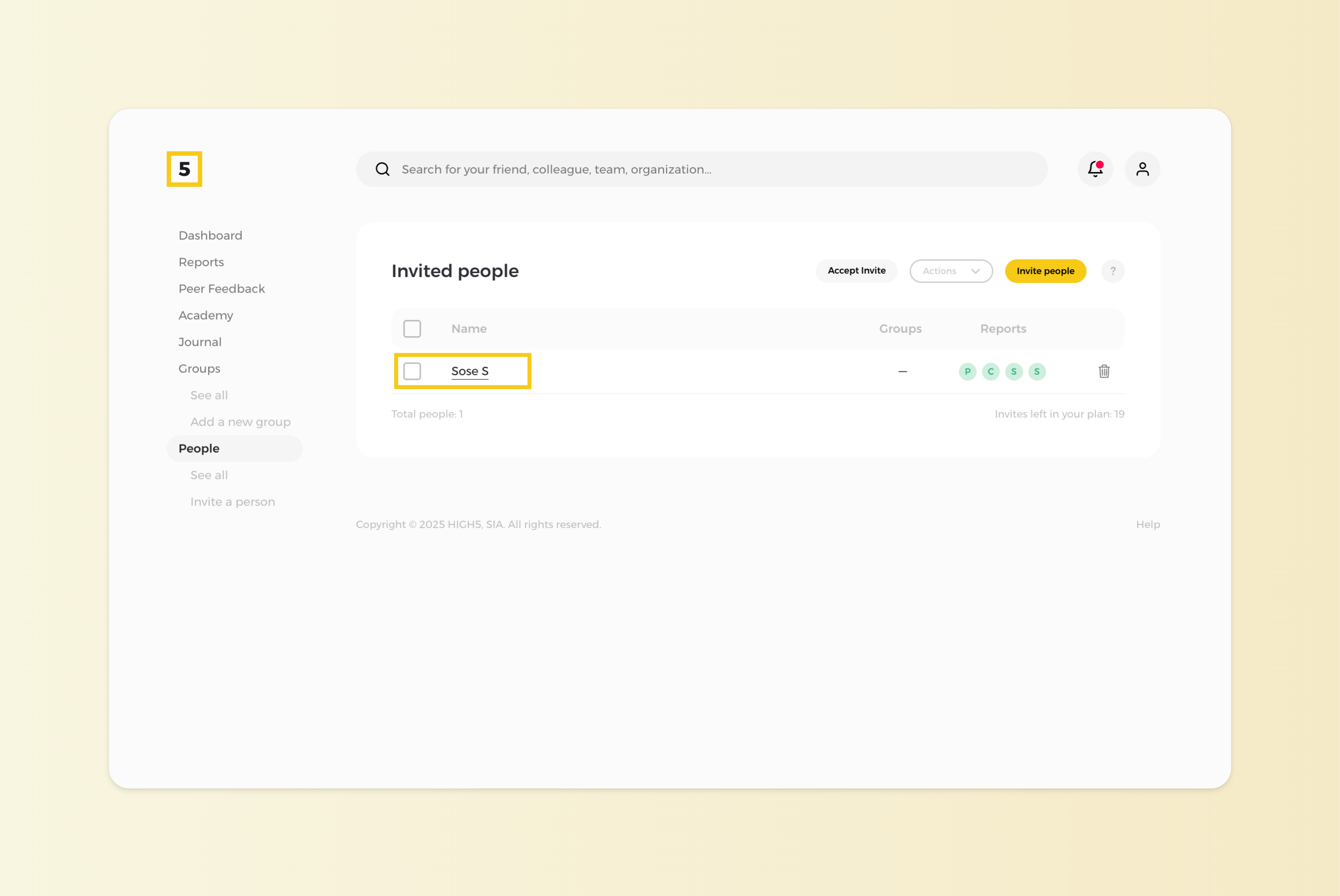
NOTE: The person should accept your invitation request for you to be able to see their report.
3. Unlock your client's profile right from there if you haven't done it before
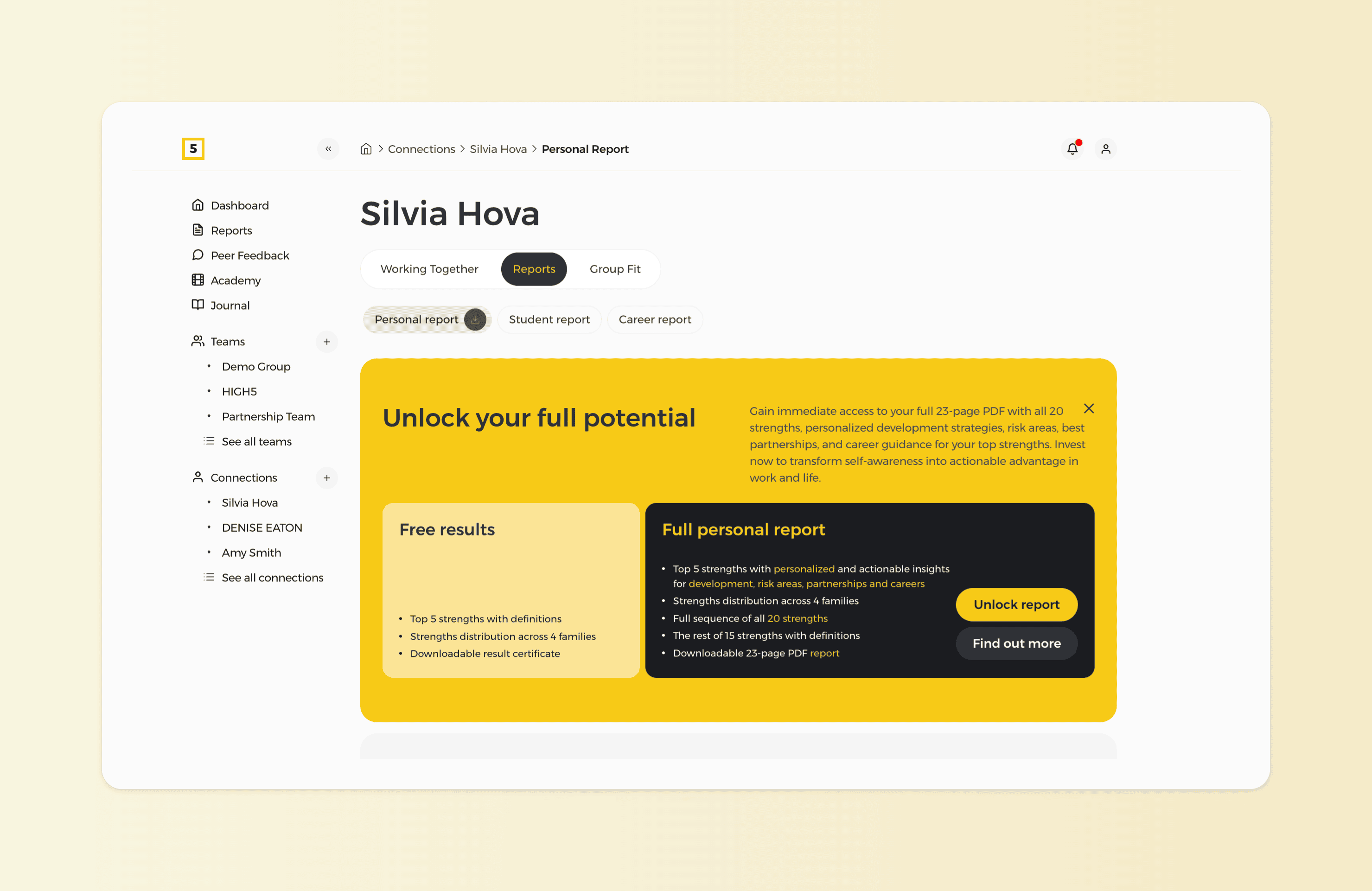
To access the actionable insights of your client's signature strengths as well as gain an understanding of the position of the overall 20 strengths in them make sure to unlock their Full Profile Report.