Our platform is designed to make connecting with coaching clients easy and intuitive. In this article, we'll guide you through the simple steps to connect with people on our platform, ensuring a smooth coaching experience for you and your clients. Note: A video tutorial is available at the end of this article.
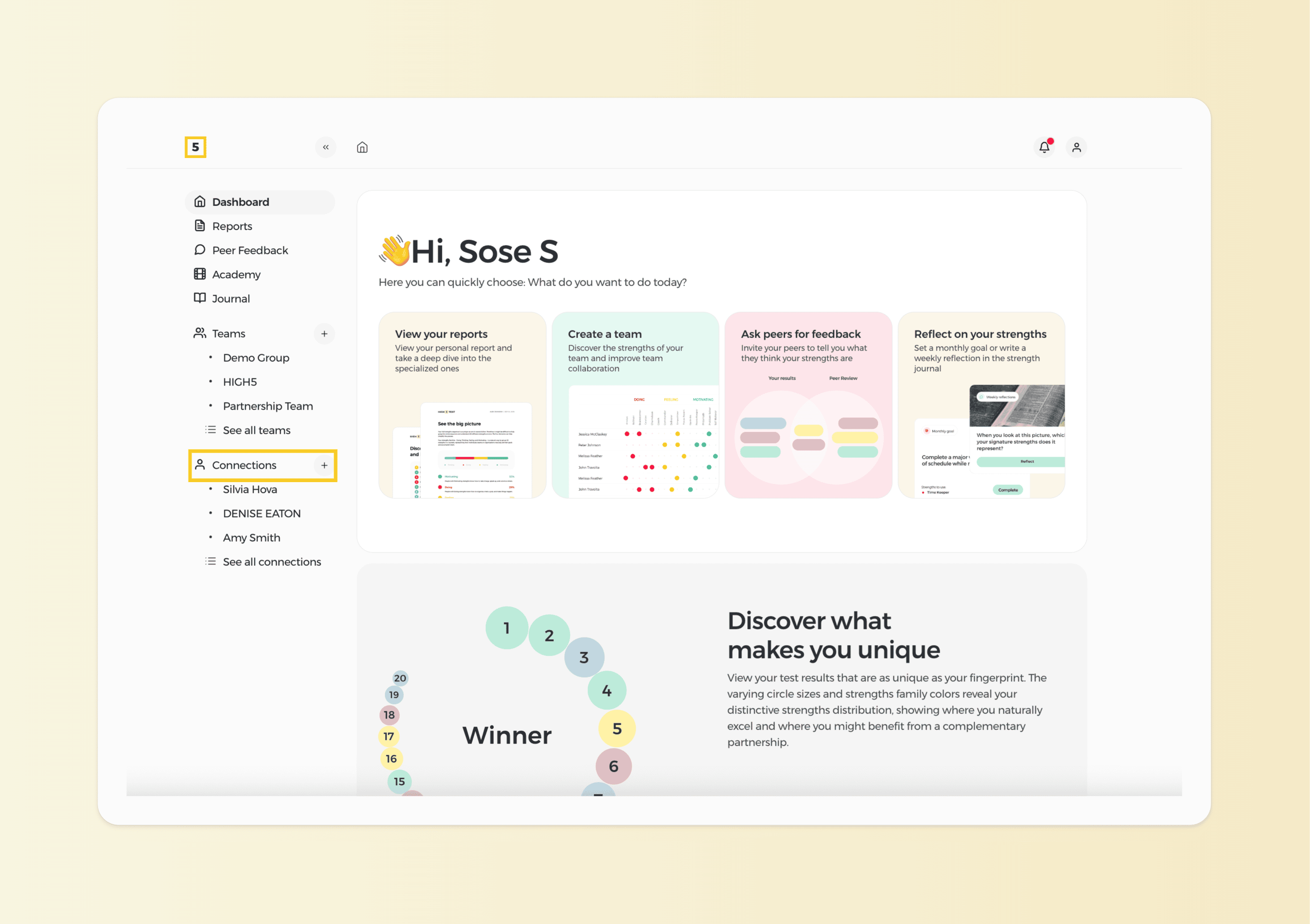
1. Click the “+” icon next to Connections on your dashboard to add new connections.
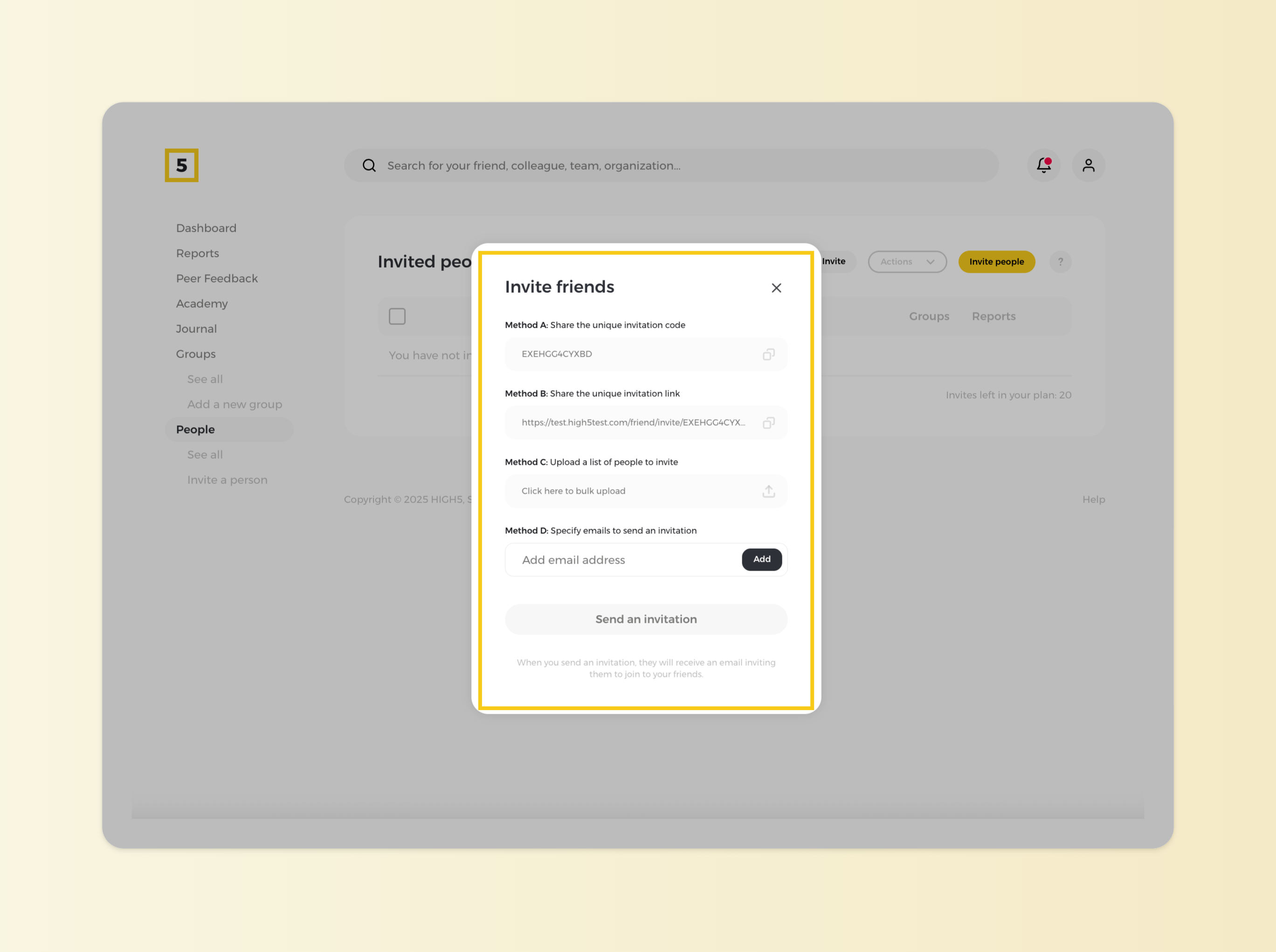
2. Choose the most optimal invite option
We offer three invite options you can use. To learn the difference between them, check out this article. Choose the most suitable option and share it with your clients!