
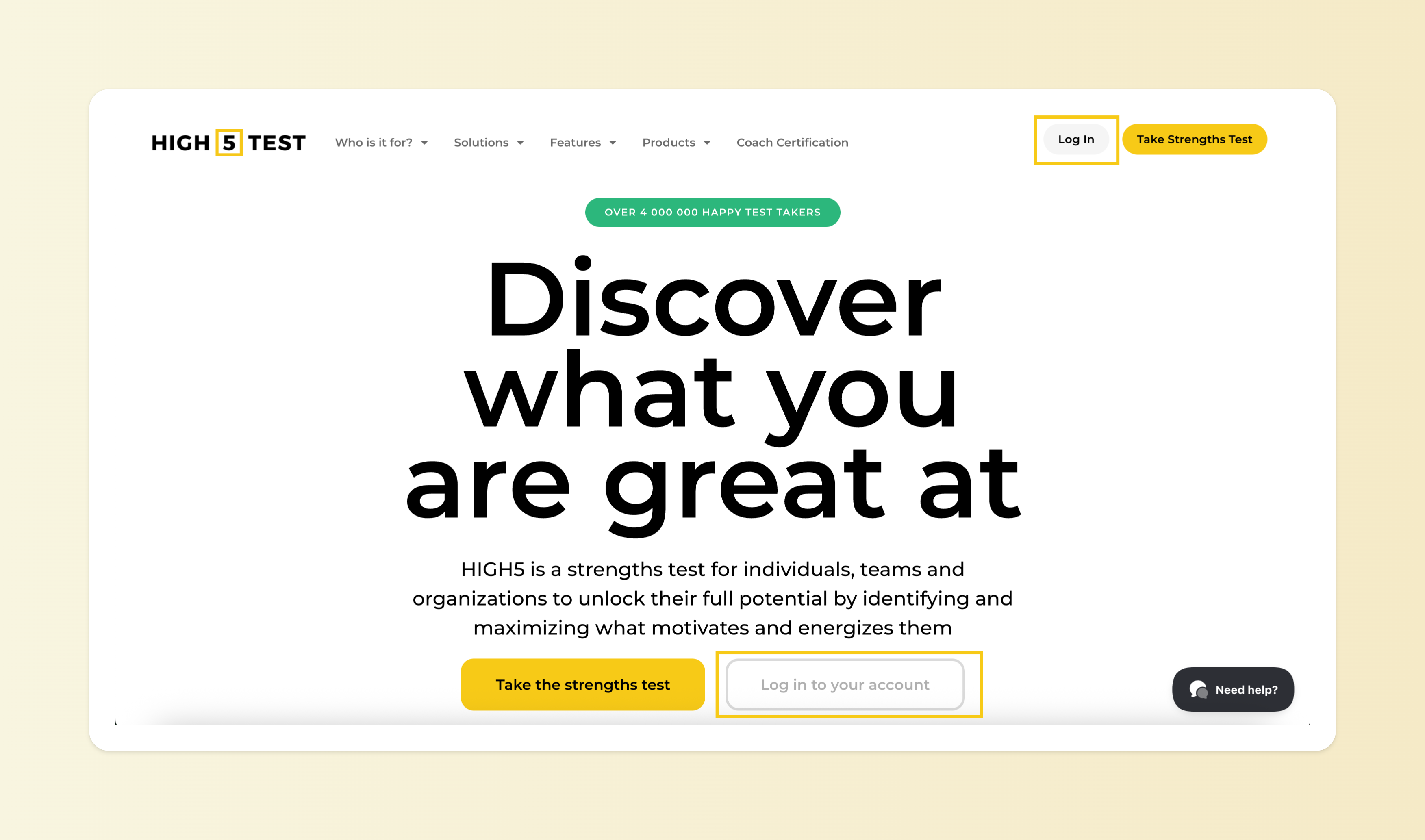
Step 1: Log in to Your HIGH5 Account
Visit the HIGH5 Test website and log in with your credentials.
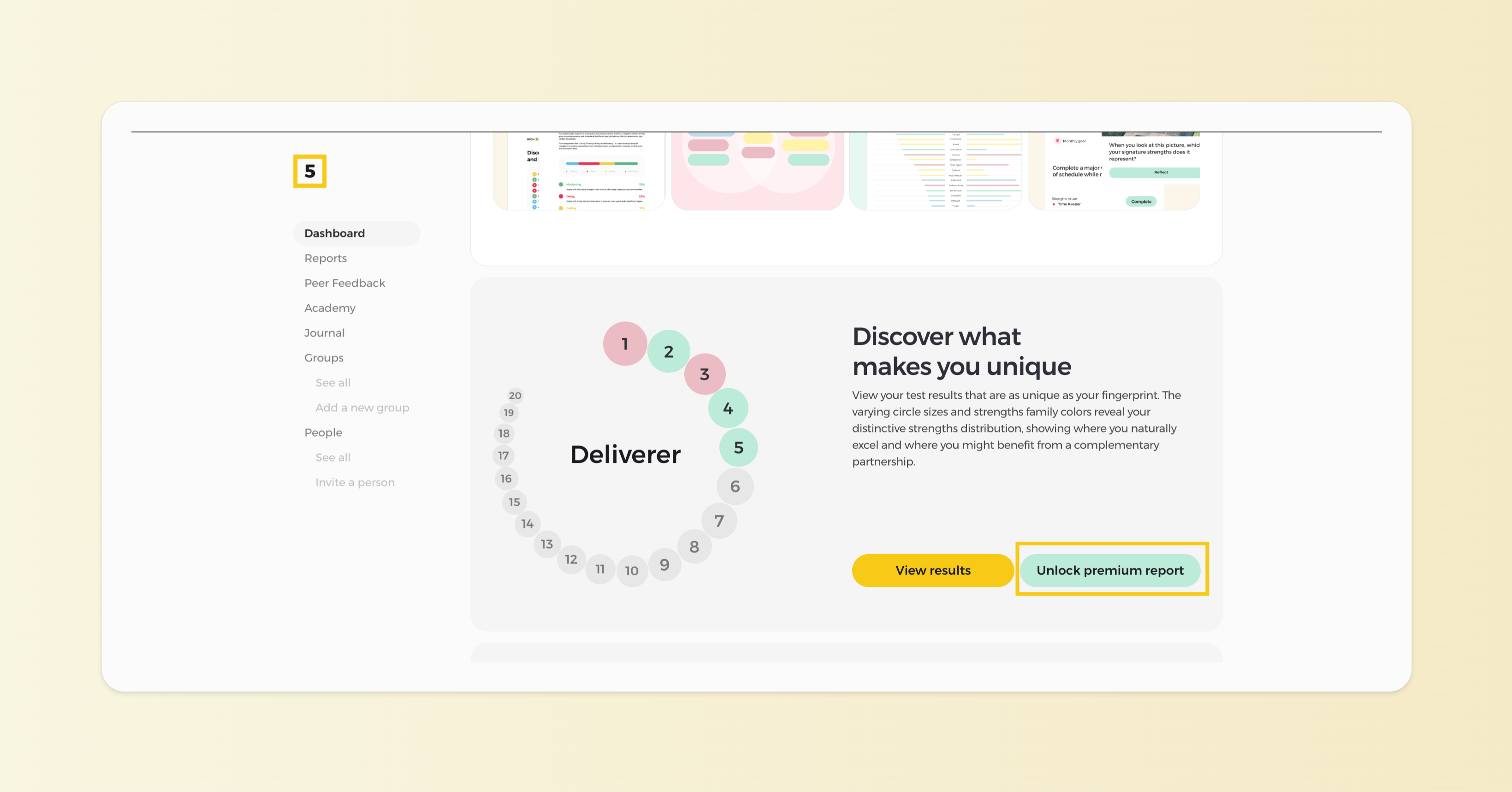
Step 2: Click on unlocking your premium report from your Dashboard
Once logged in, you'll see your Dashboard, where you can find the results of your free assessment. Click on the "Unlock premium report" button to proceed with the payment.
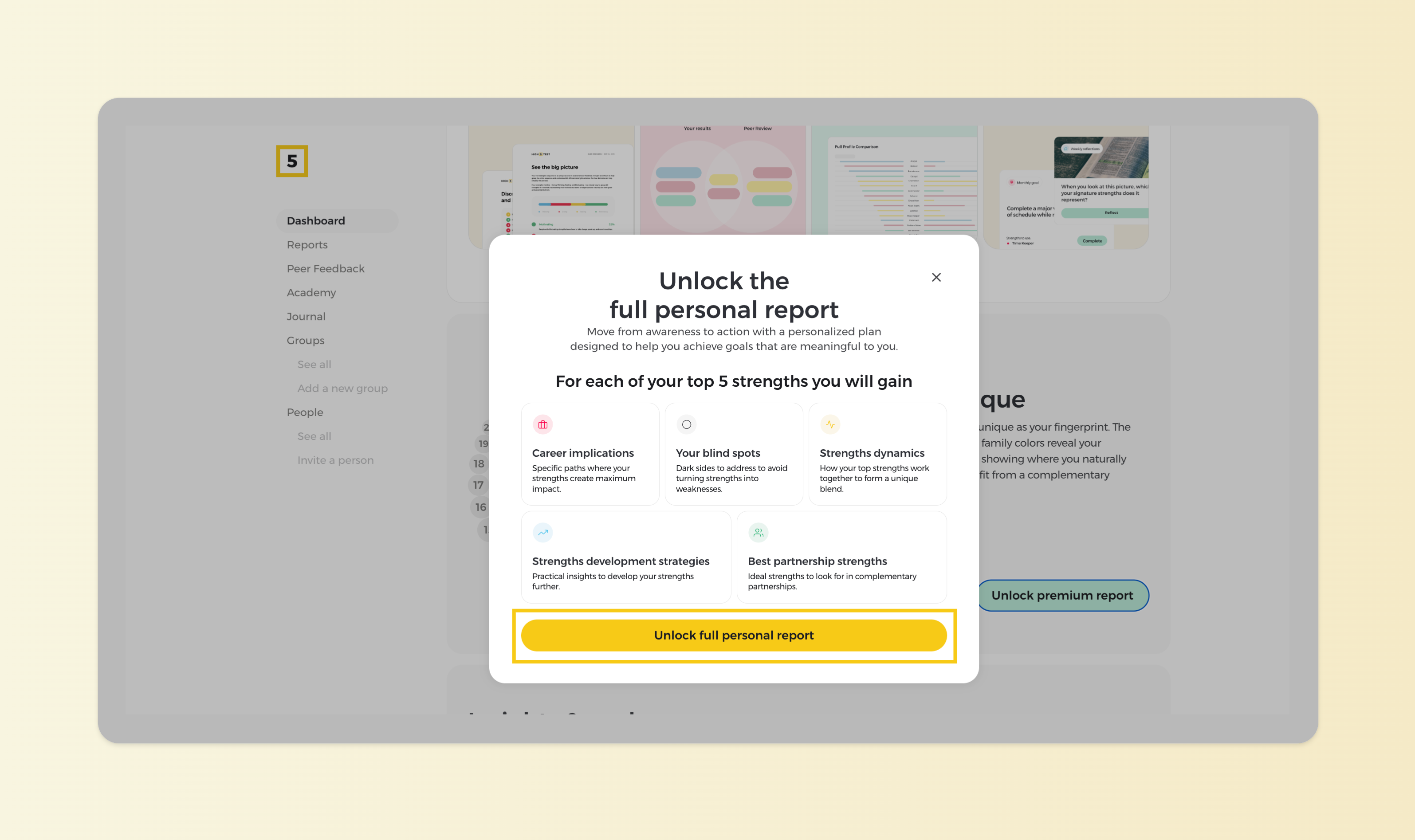
Step 3: Learn what is being unlocked
Familiarize yourself with the insights that the premium report unlocks, and proceed with the "Unlock full personal report" button.
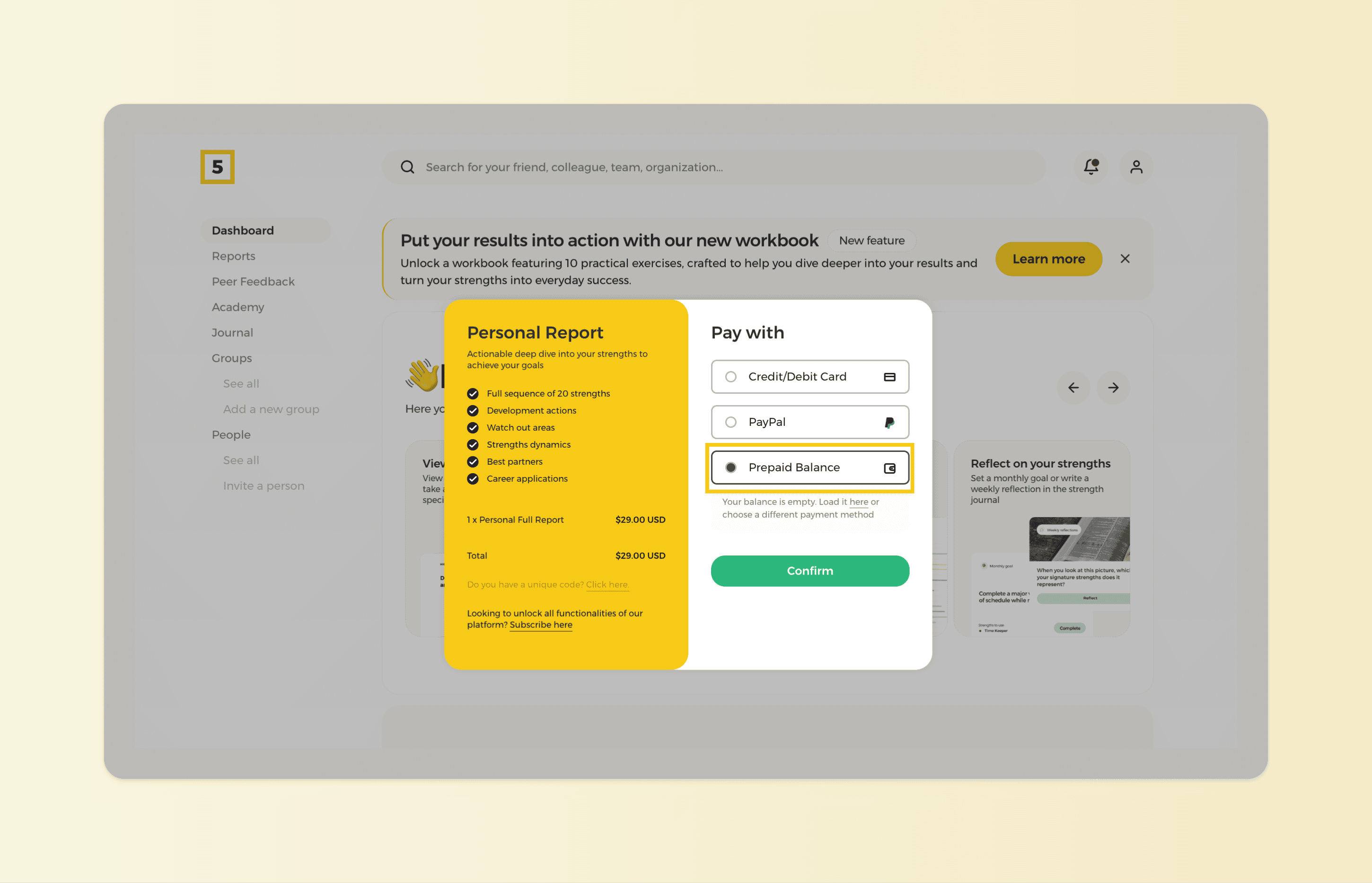
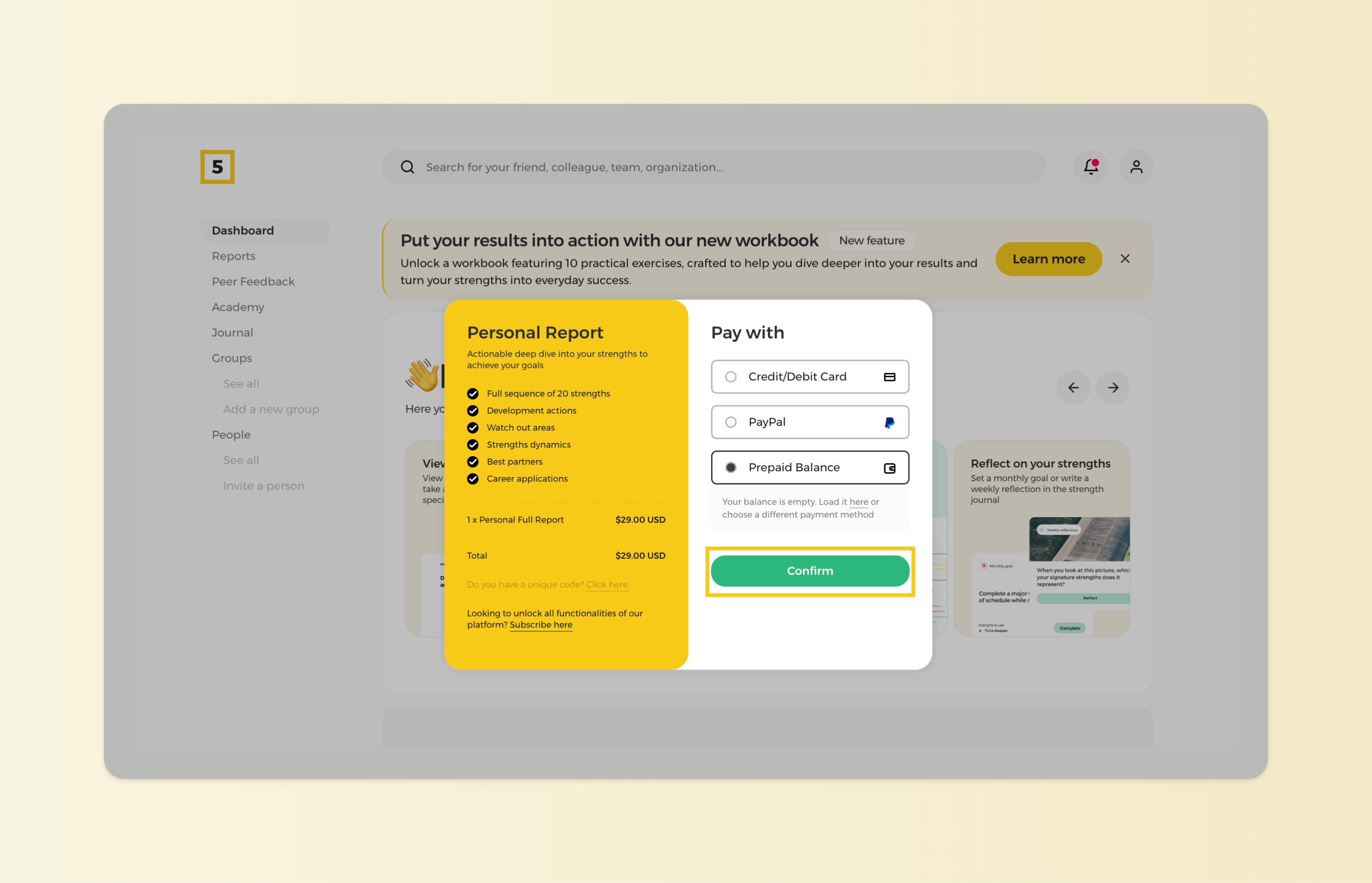
Step 4: Choose 'Pay with Prepaid Balance':
Select the option to pay using your prepaid balance on the payment page.
Step 5: Confirm Your Purchase:
Review the details and click the "Confirm" button to complete the transaction.
Step 6: Access Your Full Strengths Report:
Once the payment is successful, your Full Strengths Report will be available for viewing and download in the Reports section.