
To update your billing details, simply follow these steps:
1. Navigate to your Account Settings page
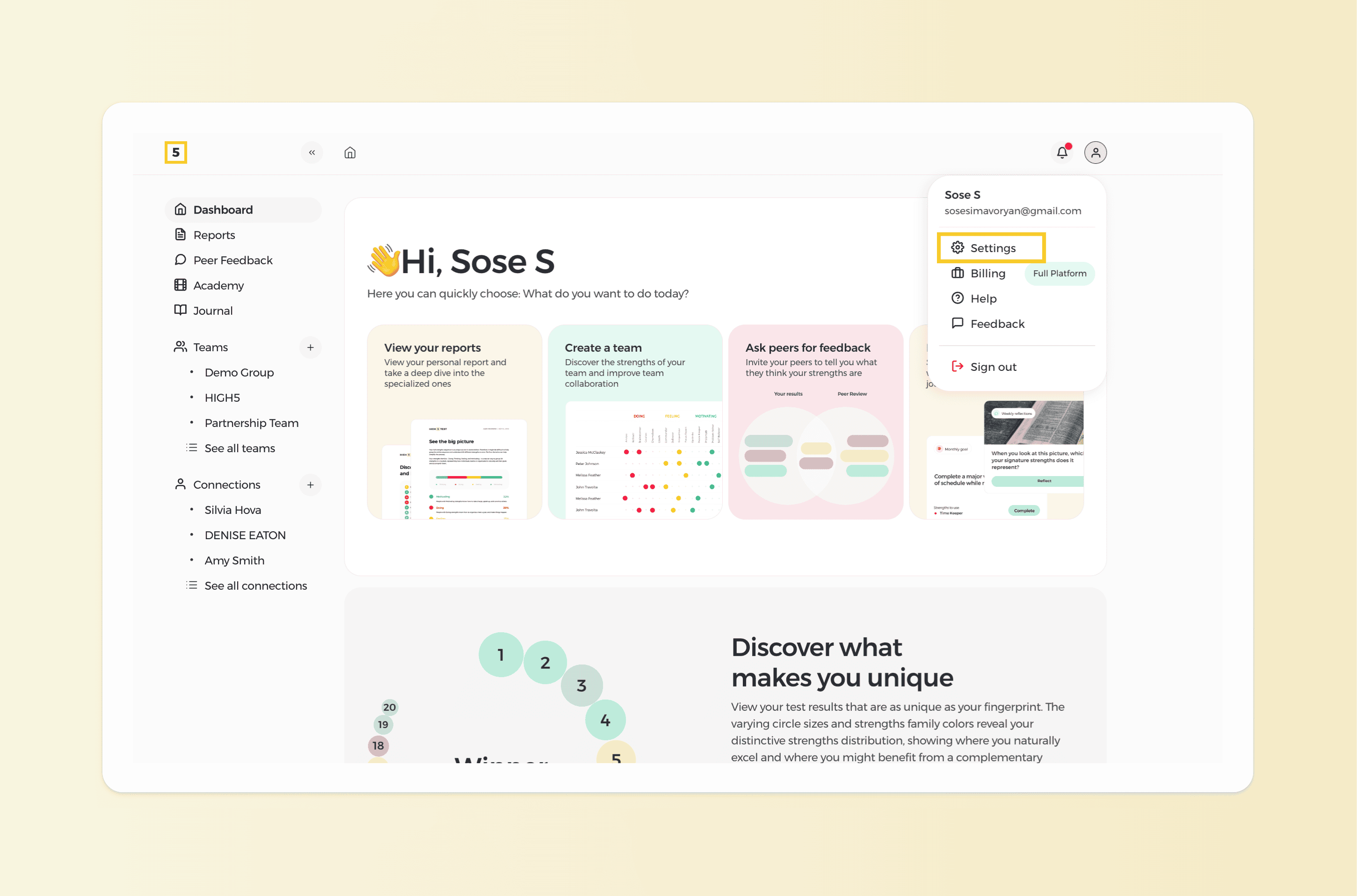
From your personal dashboard head to the "Settings" page by clicking on the icon in the top right corner of your dashboard.
2. Update your Billing address in your details
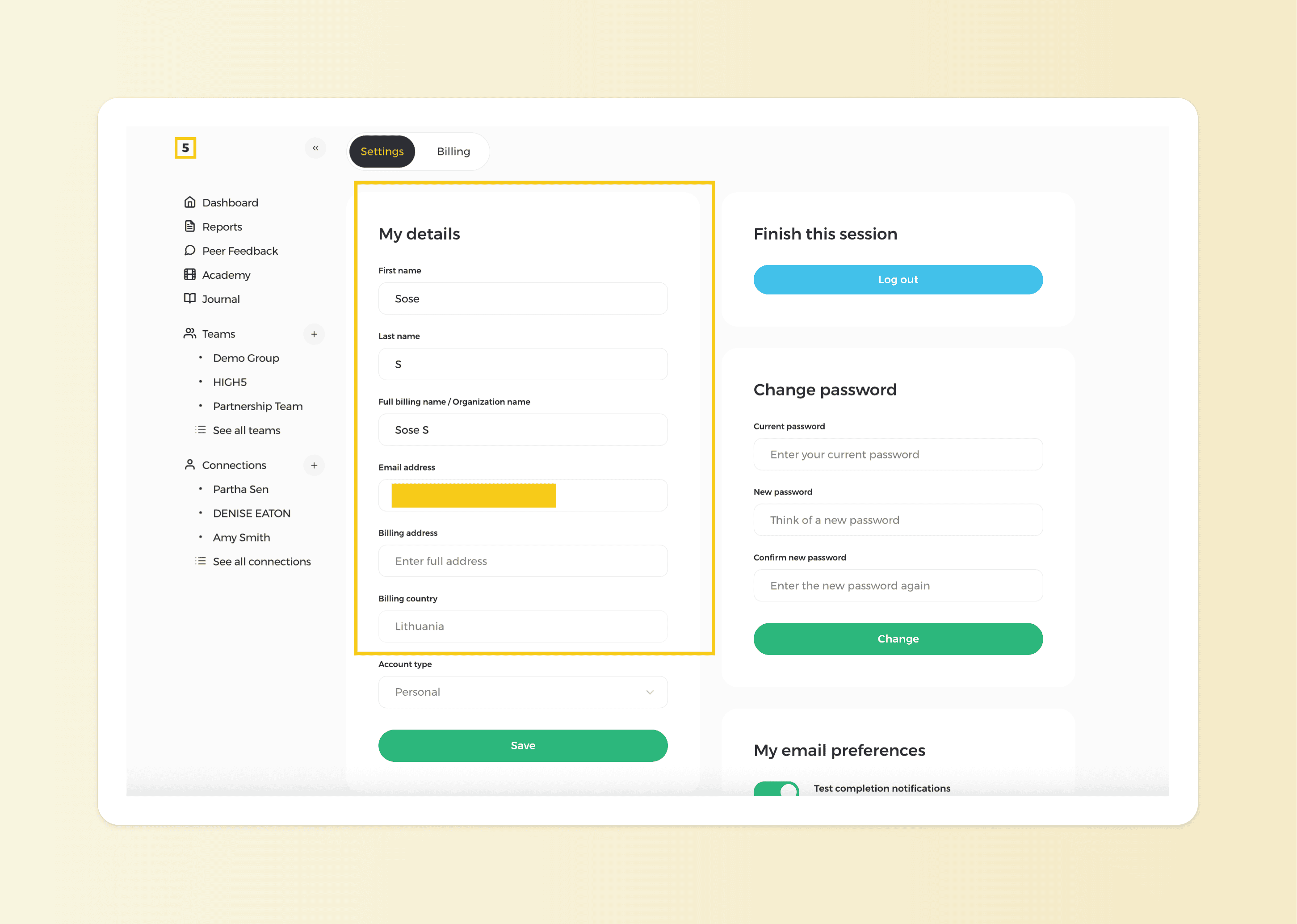
Locate the option to edit or update your billing details, enter the new information and click 'Save'. Once saved, your billing details will be updated accordingly.
Please note the change in billing details does not happen retroactively - i.e. the new details will be applicable for the new invoices, not the old ones created for previous purchases.