
Step 1: Log in to your HIGH5 account
You can log into your account here - by using the same credentials you used when taking the test. If you have not taken the test before, you would need to take it here.

Step 2: Navigate to the "Teams" tab from your dashboard
From your account dashboard, use the left-hand panel to navigate to the "Teams" tab. Here, you can access your existing groups or create new ones. A sub-menu under "Teams" will display your most recently accessed group and provide a shortcut to create a new group.
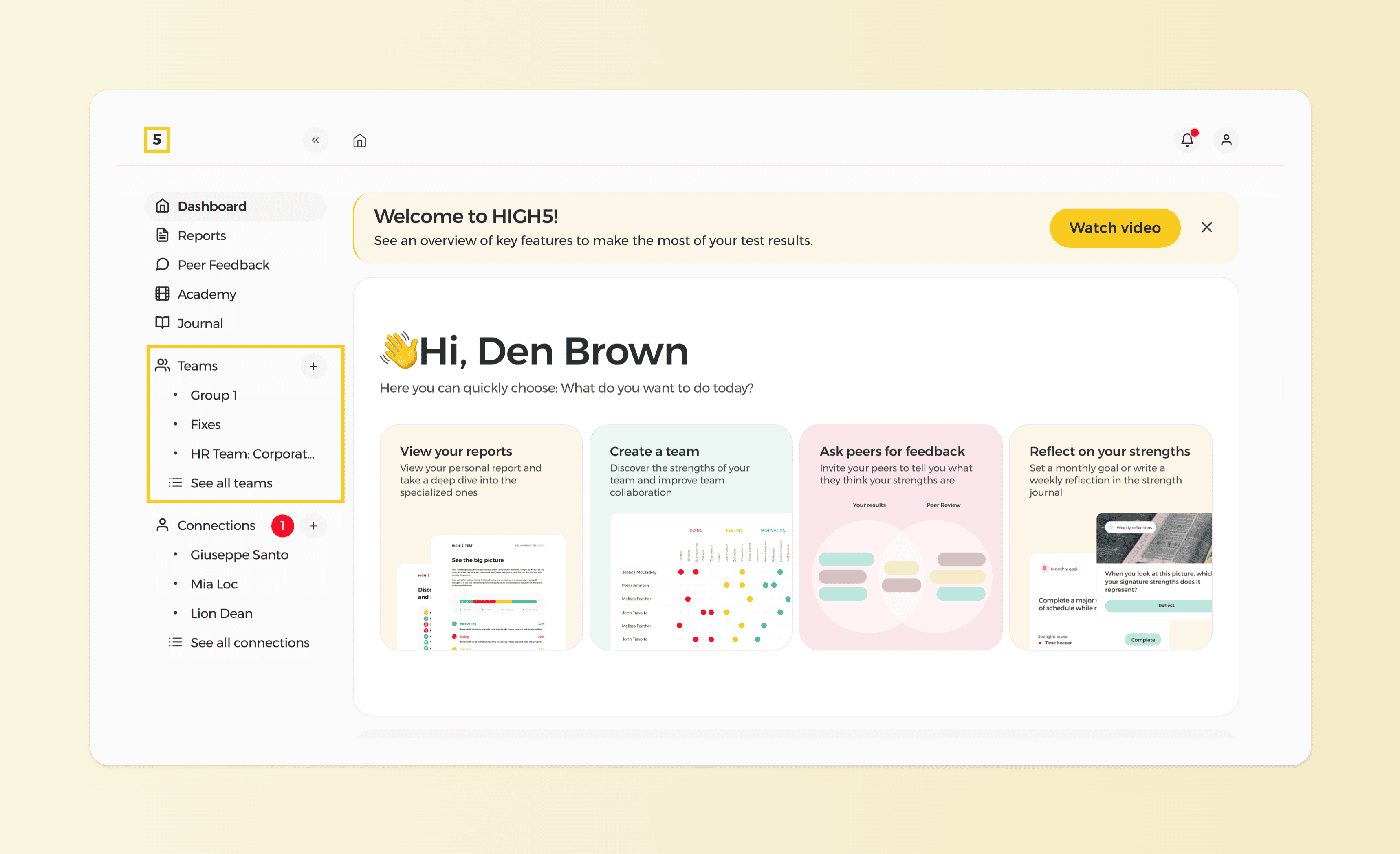
Step 3a: Route 1 - Use the shortcut "+" sign next to the "Teams"
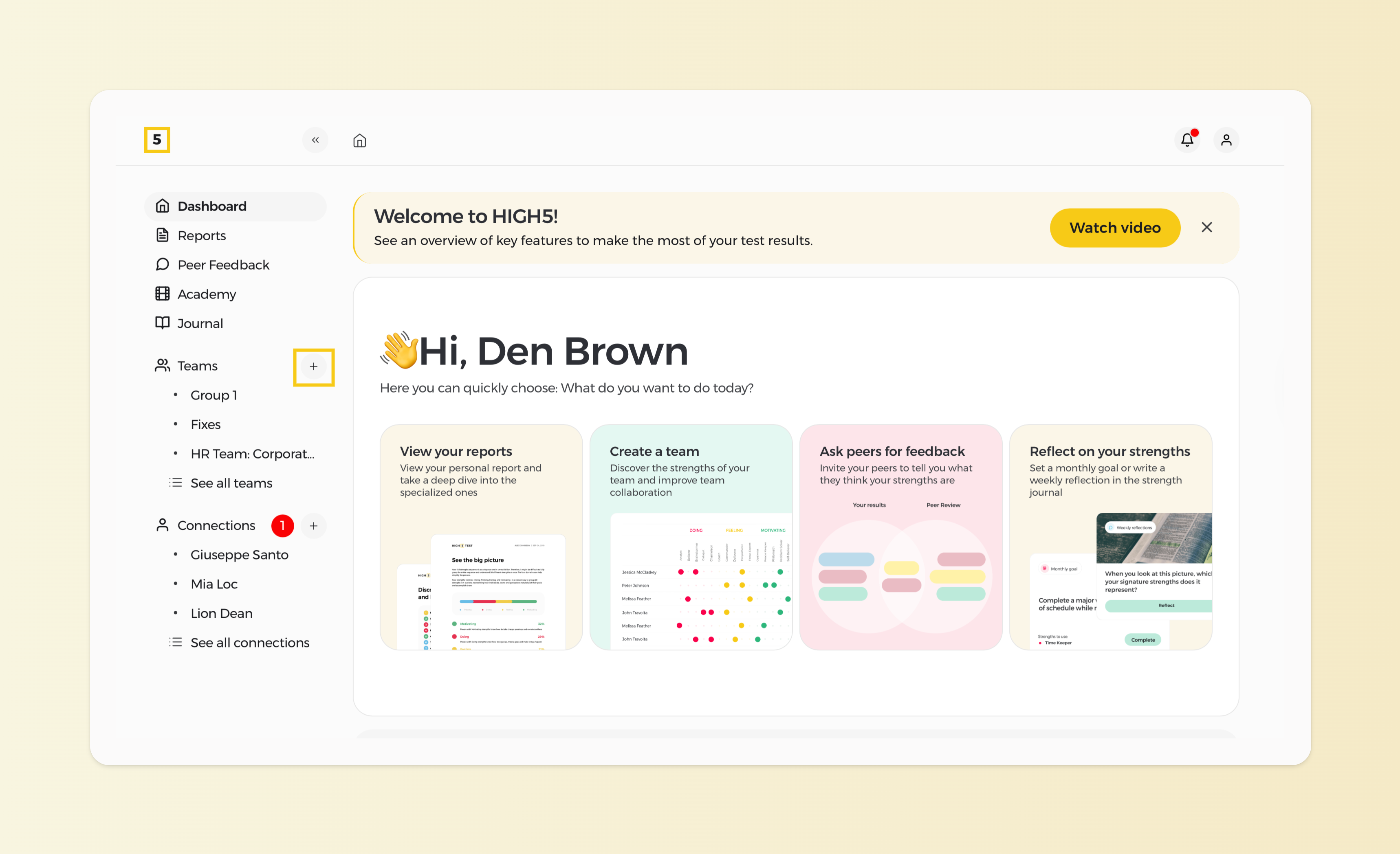
Step 3b: Route 2 - Click on "Teams" from the left panel, then "Create a team"
In the "Teams" tab, you'll see a list of all the groups you've created. If no groups have been created yet, the list will be blank, but it will update as soon as new groups are added.
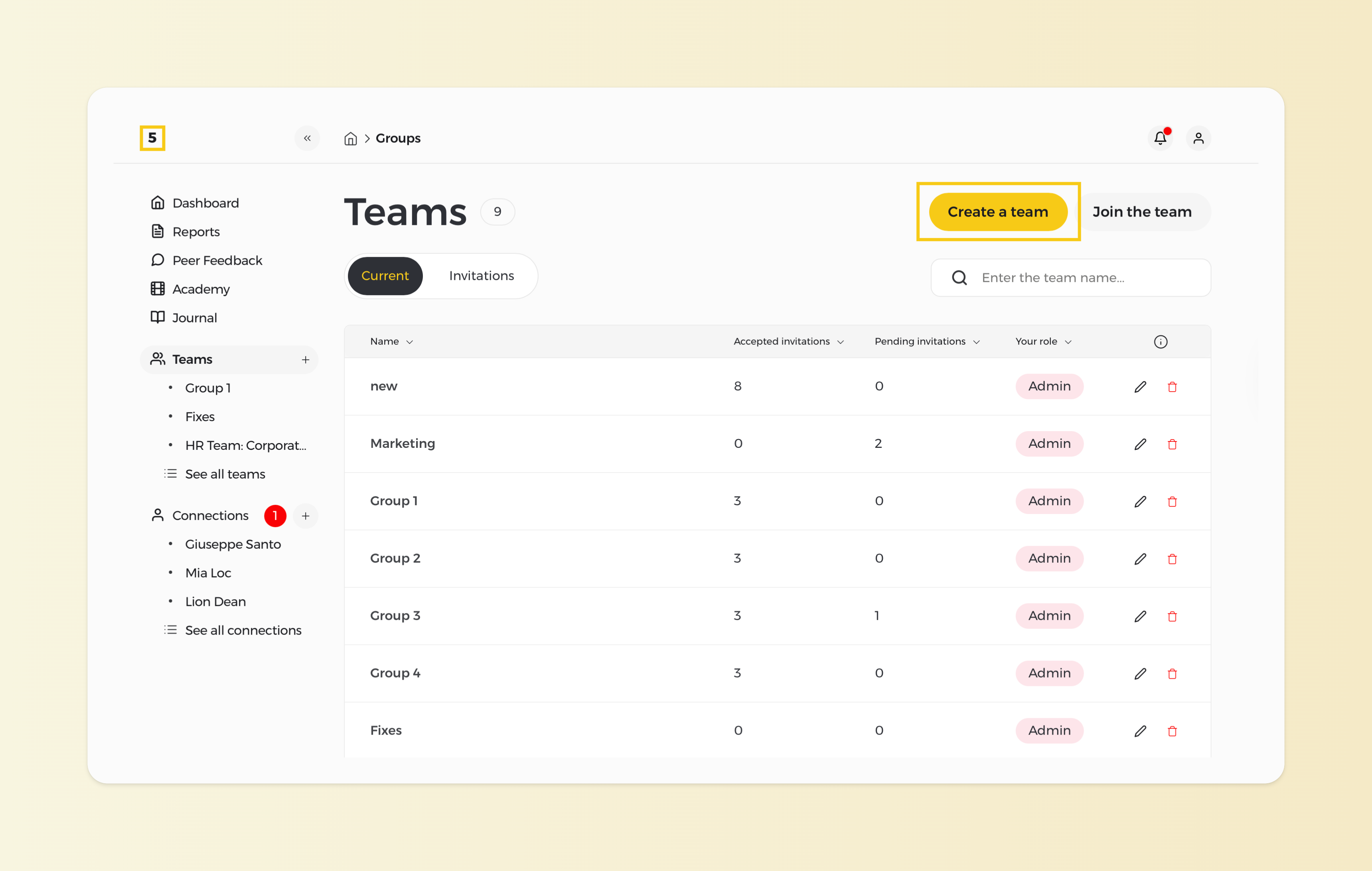
Step 4: Set up your team, then click "Create Team"
Don't forget to give your team a relevant name and description before adding it to your group list!
Important note: If you want your team type to be private, you need to have HIGH5 Pro.
Step 5: Invite your first members
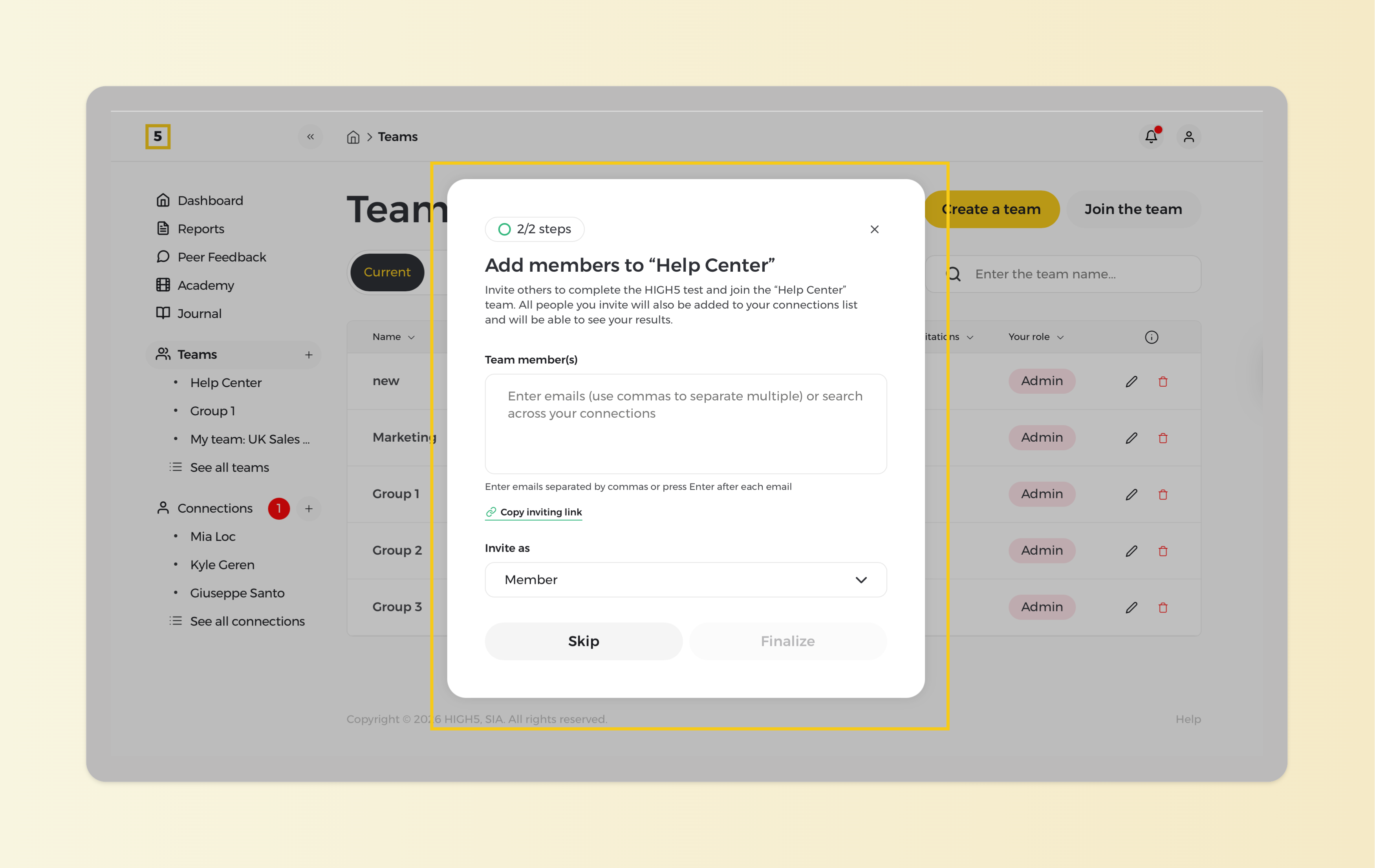
There are two Group Invite Methods to choose from:
Method 1: Send your teammates email invitations
Method 2: Provide a group-specific link for members to copy and paste into their browsers.
Once the group is created, make sure to add more people to it to be able to access the team report.
NOTE: The analytics feature is activated once there are at least 3 members in the group. Each member must also accept the group invite for their results to be included.
6. Unlock their personal or team reports
To access analytics and insights for your team on the HIGH5 platform, you'll need to unlock team reports for at least three members. For accurate group analytics, we recommend that the Team Report be unlocked individually for each member. You can refer to the table in the members' view to check which report or plan is available for each member.