
If you initially invited your team via email, you can conveniently send reminders through the HIGH5 platform. Here's how:
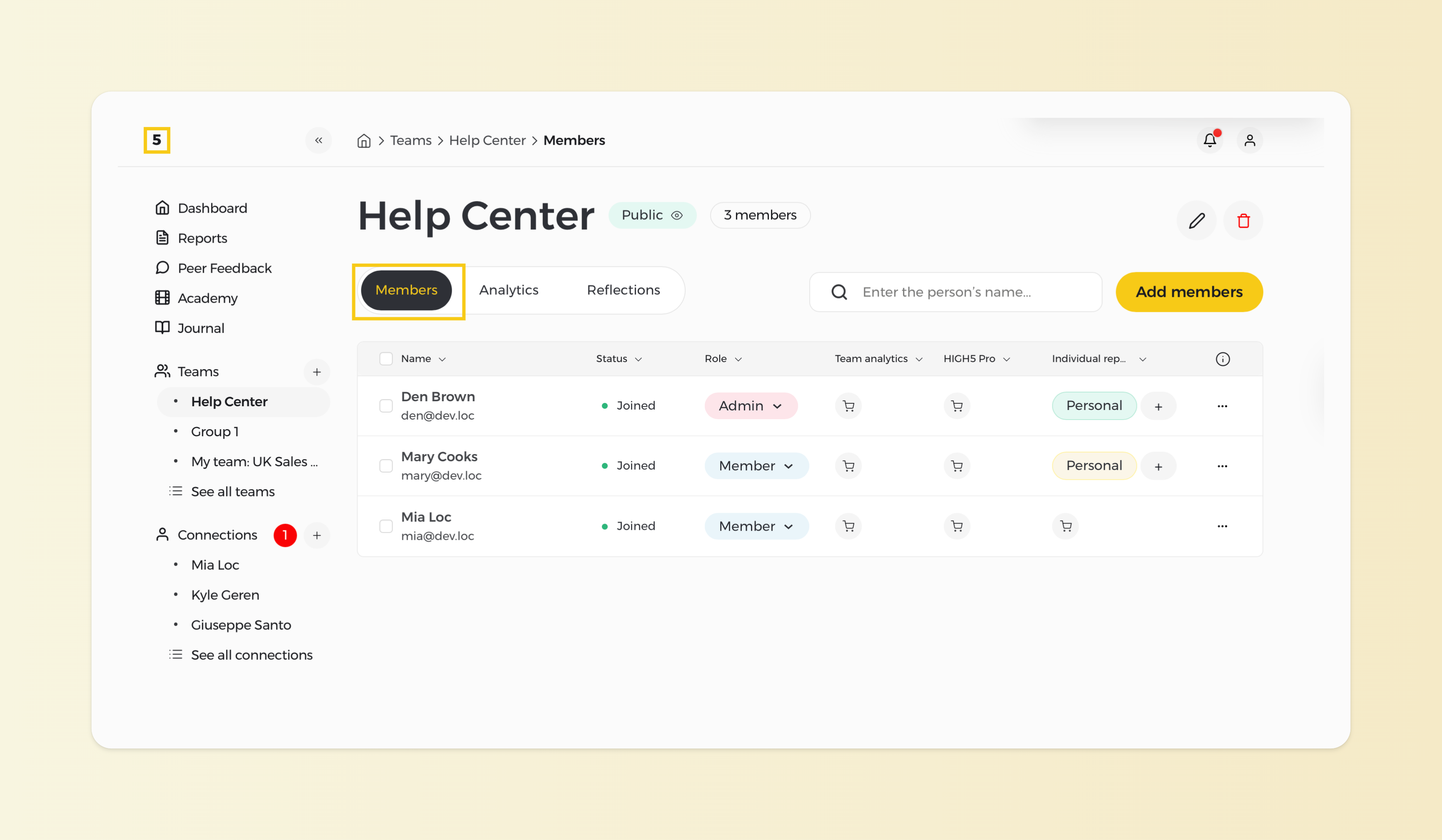
1. Access the Members Section of a chosen team
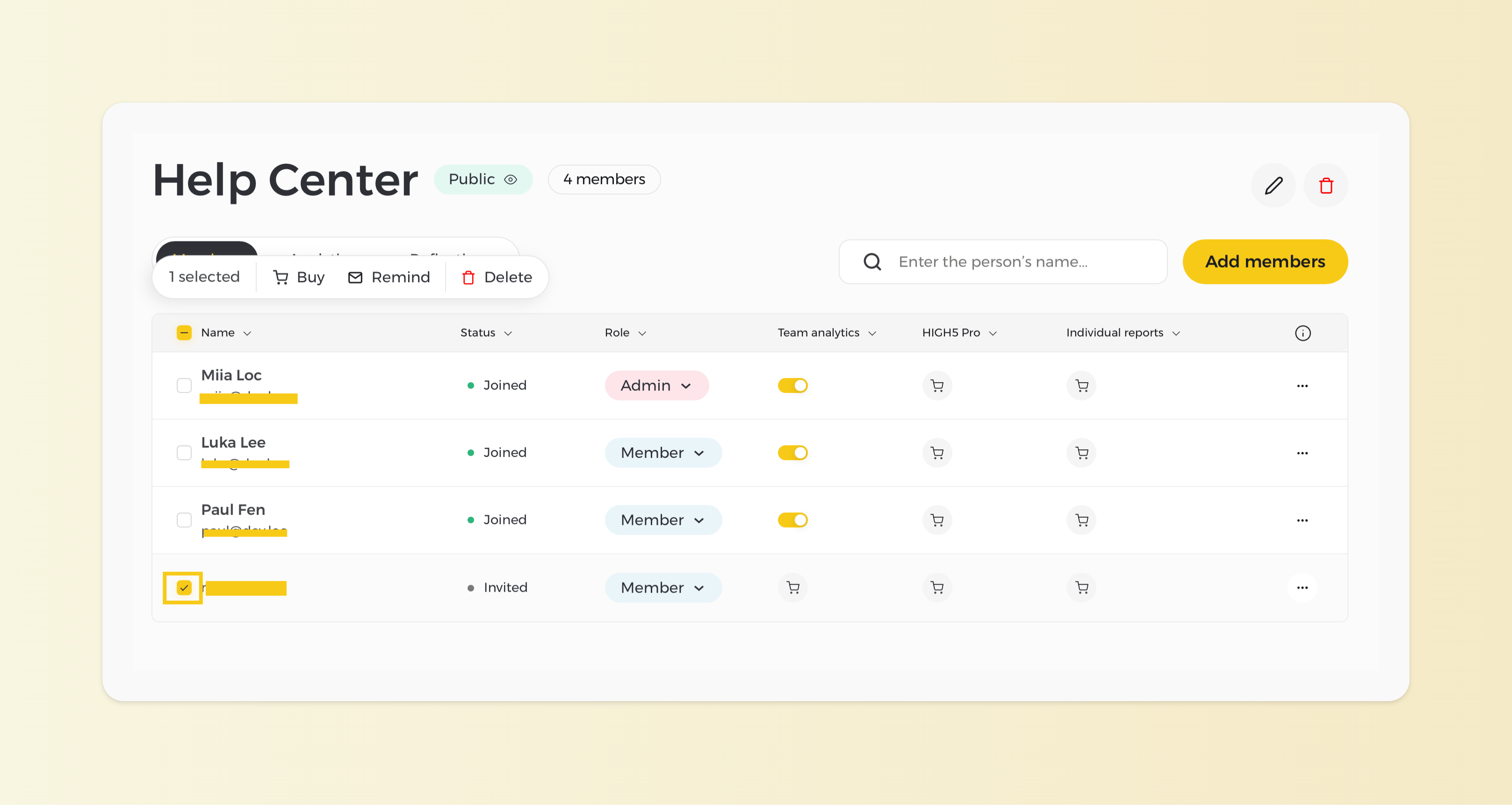
2. Choose the member you need to send a reminder to
Tick on the square box located on the left of the respective team member.
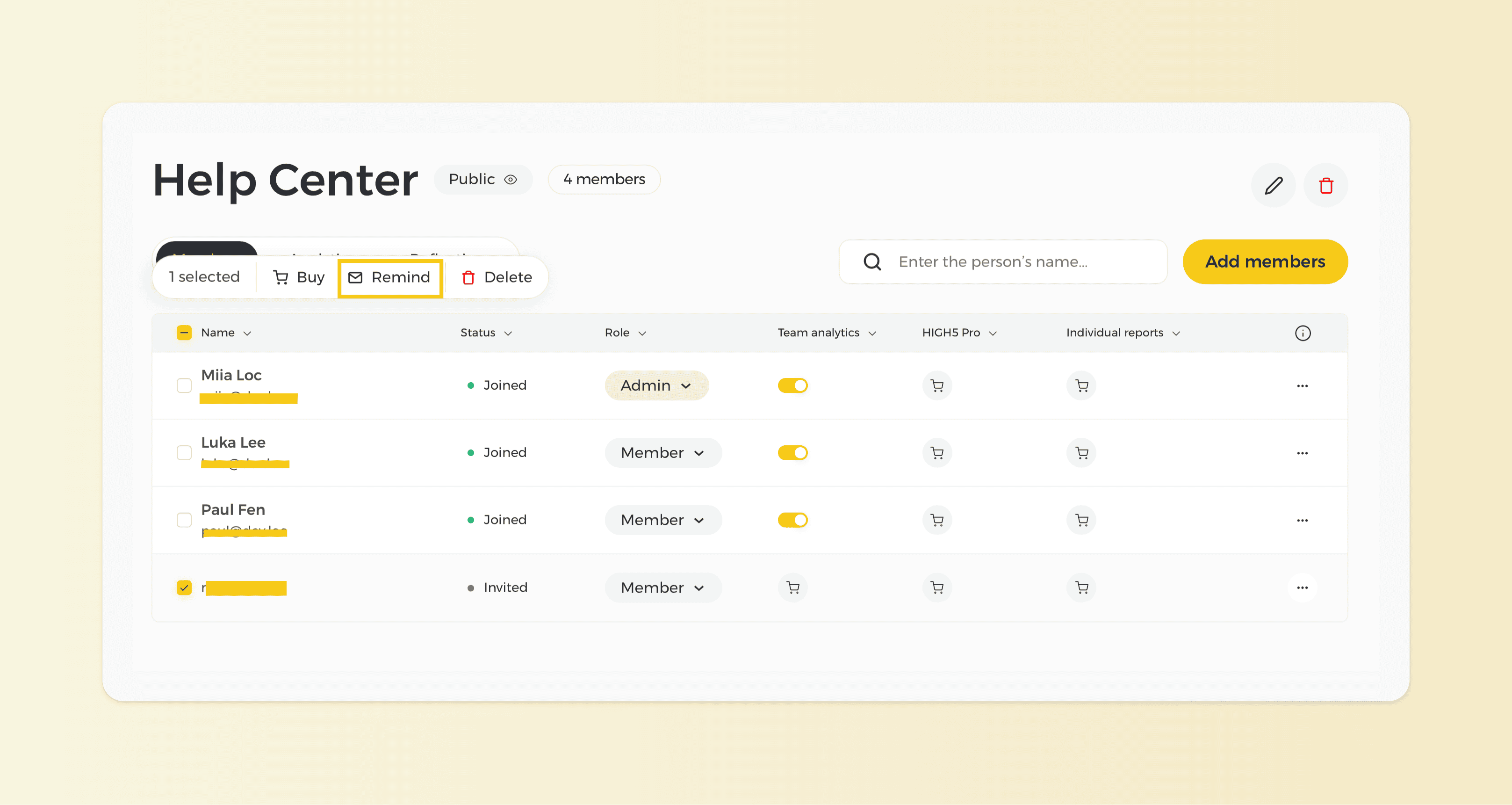
3. Send a reminder
Click on the "Remind" icon at the top. Emails will be sent to them right after you confirm that action.
Note: You can send reminders only to people whom you have invited via email. Otherwise, there is no email to send the reminder to.